Transmission shifter

2001 SUZUKI GRAND VITARA
300,000 MILES • 2.5L • V6 • 4WD • AUTOMATIC
Avatar
CRANTZ
  • MEMBER
  • 1 POST
One of the mounts that hold shifter cable to transmission broke so the shifter was not putting car into gear. I tightened up the cable at the transmission to take out any slack and wired the cable so I could get the car home. I fixed the mount but now when I drive the the is a very faint hum from under the shifter (transmission I assume) then it increases with rpm and almost pulses in and out then slows down as the car slows. I’m wondering if I don’t have the cable hooked up right or if this is a transmission issue?
Mar 23, 2019 at 4:23 PM

Advertisement
Avatar
JACOBANDNICKOLAS
  • CERTIFIED EXPERT
  • 110,175 POSTS
Welcome to 2CarPros.

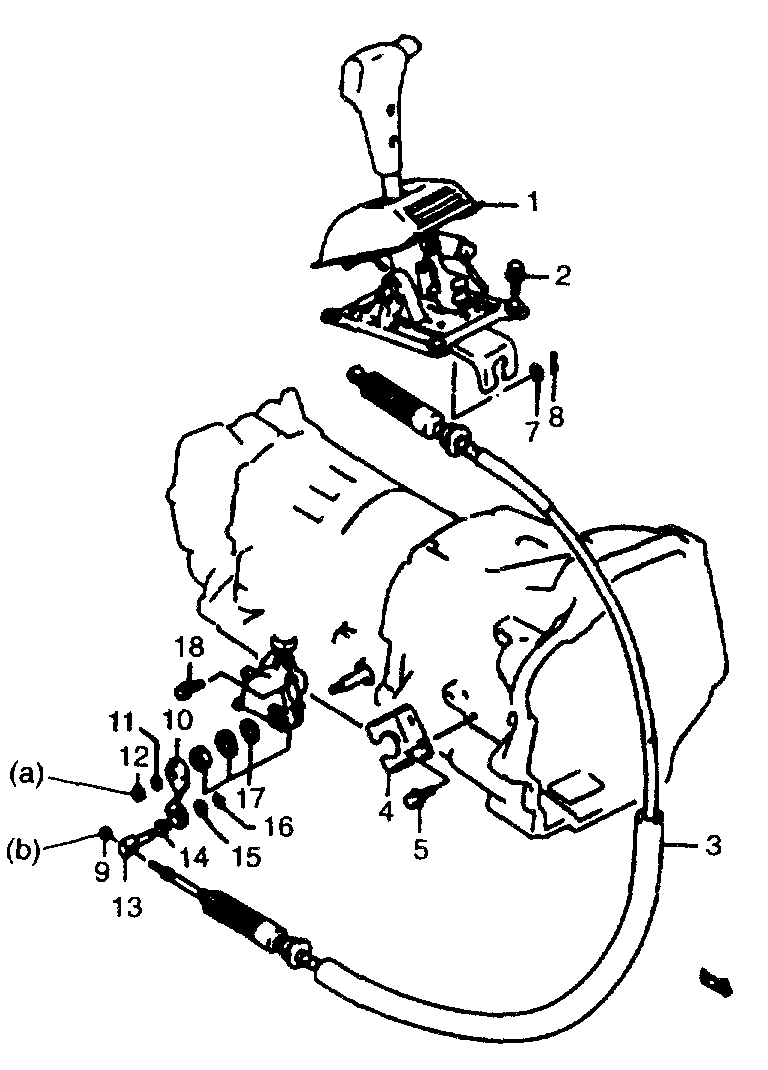
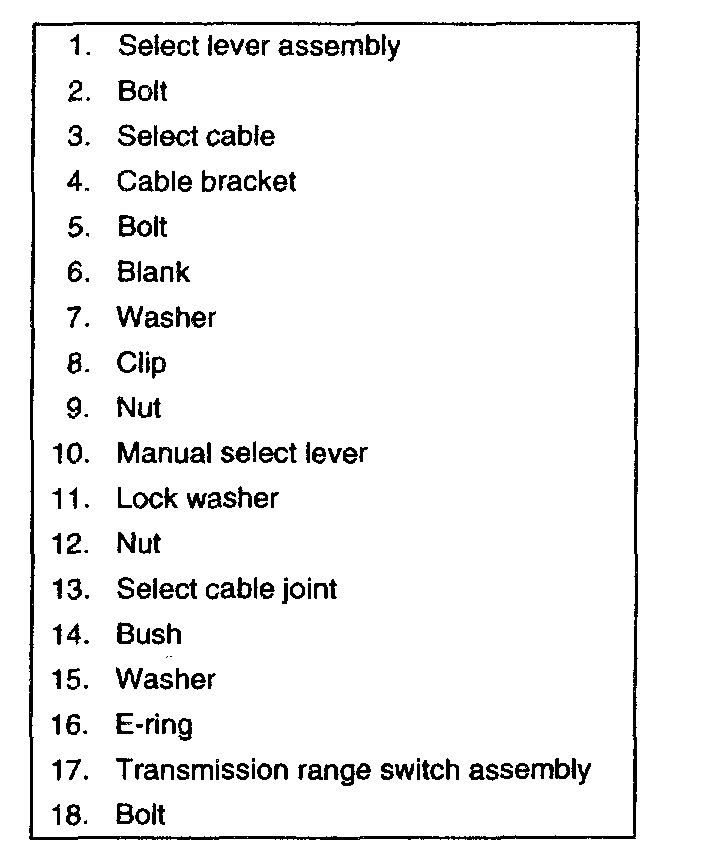
If there wasn't a problem prior to the mount breaking, I'm confident there isn't a problem now. I will tell you that the cable is adjustable. Here are the directions for doing it. The attached pictures correlate with these directions.

_____________________________________

SELECT CABLE
SELECT CABLE


pic 1


pic 2


Tightening torque
(a): 13 Nm (1.3 kg-m, 9.5 ft. lbs.)
(b): 7 Nm (0.7 kg-m, 5.5 ft. lbs.)

ADJUSTMENT


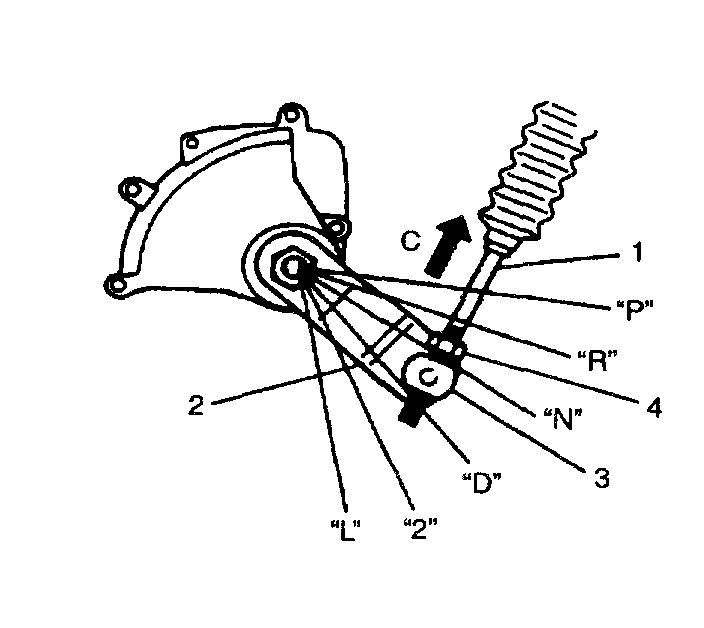
pic 3


1. Before tightening cable end nut (4, 5), shift select lever to "N".
2. Also shift manual shift lever (2) to "N".

NOTE:
^ Make sure that nut (4) and cable joint (3) have clearance under above conditions.
^ If select cable (1) has been moved, push it in arrow C direction as shown in figure at the left till it stops and then confirm that select lever is in "N" position.


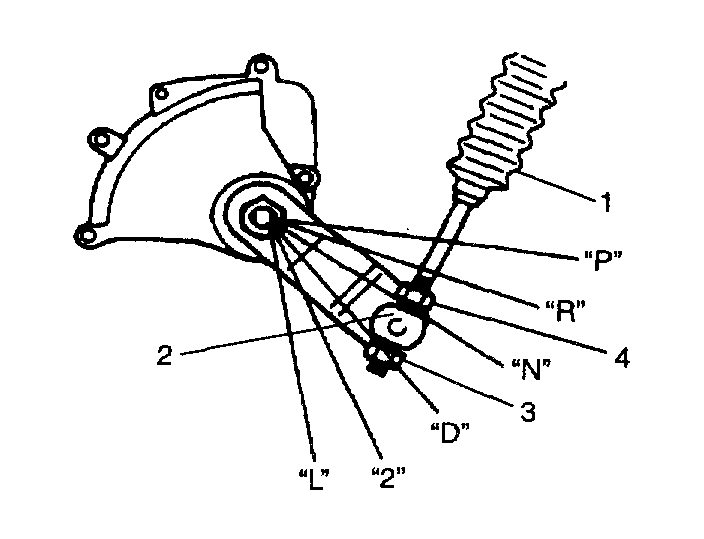
pic 4


3. Turn nut (3) by hand till it contacts manual select cable joint (2). Then tighten nut (4) with wrench.
4. After select cable (1) was installed, check for the following.
^ Push vehicle with select lever shifted to "P".
^ Vehicle should not move.
^ Vehicle can not be driven in "N".
^ Vehicle can be driven in "D", "2", and "L".
^ Vehicle can be backed in "R".

_______________________________

See if this helps and let me know.

Take care,
Joe

Mar 23, 2019 at 9:16 PM