Speedometer remote start not working after incorrect jump start

2005 CADILLAC DEVILLE
52,000 MILES • 4.6L • V8 • 2WD • AUTOMATIC
Avatar
  • MEMBER
  • 3 POSTS
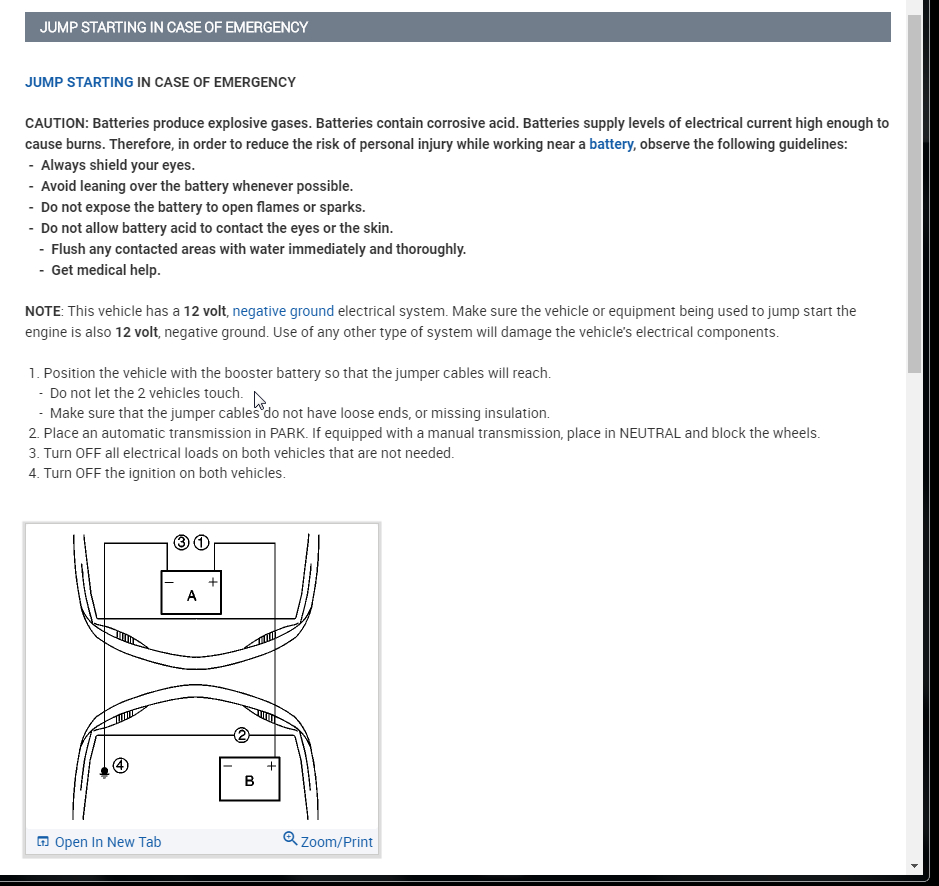
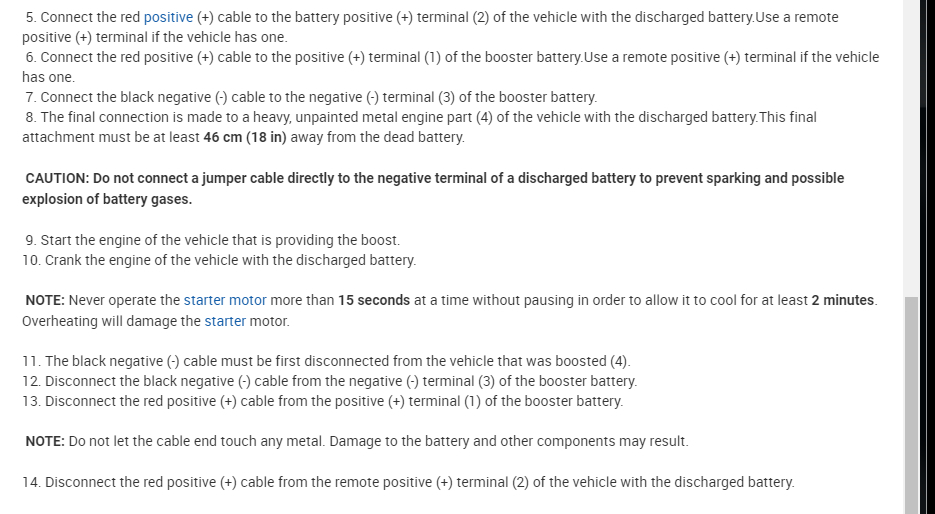
After my car was jump started Directly from the battery, they did not jump start the car from under the hood like they were supposed to.
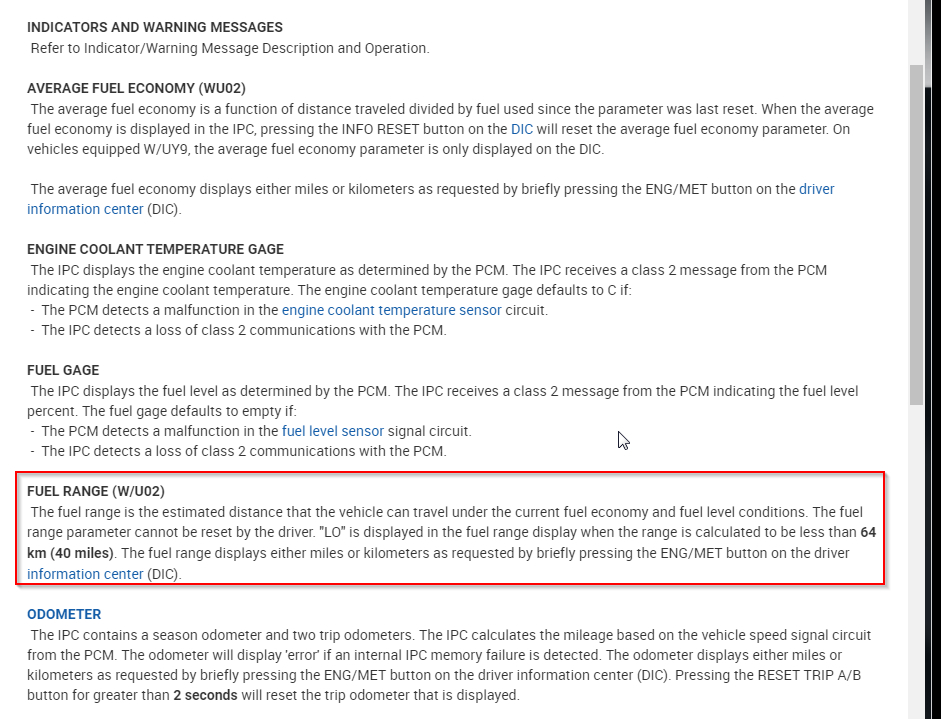
The speedometer,remote start, fuel distance all of this or digital, stopped working. How can I get them back online and running?
Dec 21, 2019 at 5:49 PM
Advertisement
Avatar
MOTOR MASTER
  • CERTIFIED EXPERT
  • 279 POSTS
Hello my name is Dave.

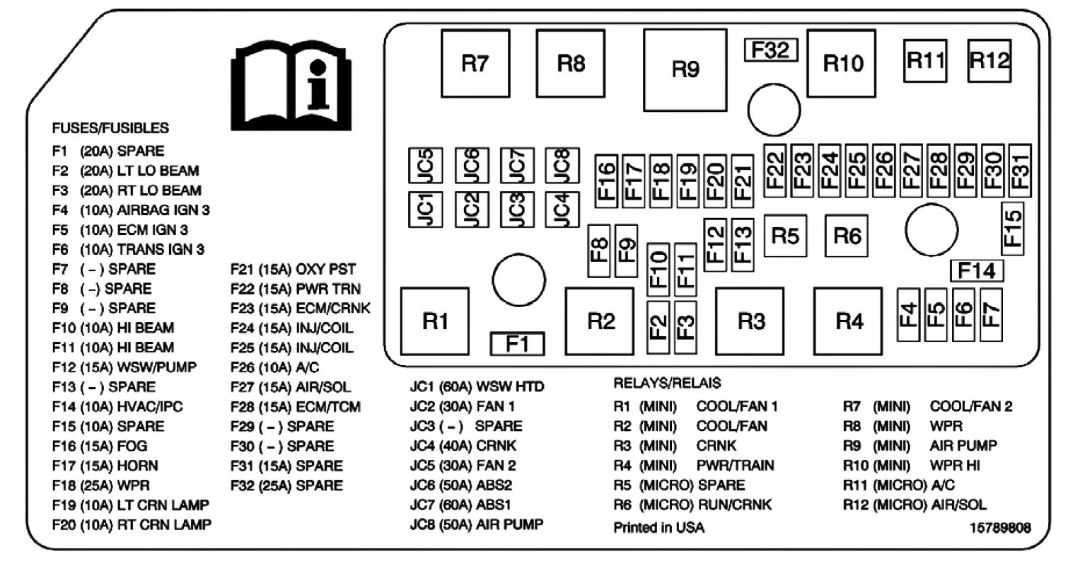
It sounds like the most likely problem is a blown fuse.

Here is a link to our tutorial on testing/replacing fuses:

https://www.2carpros.com/articles/how-to-check-a-car-fuse

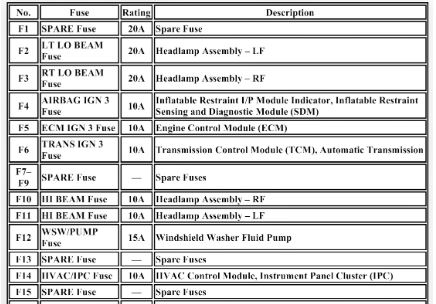
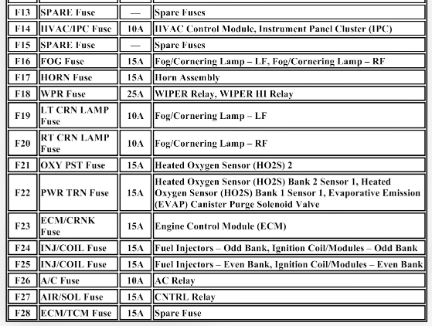
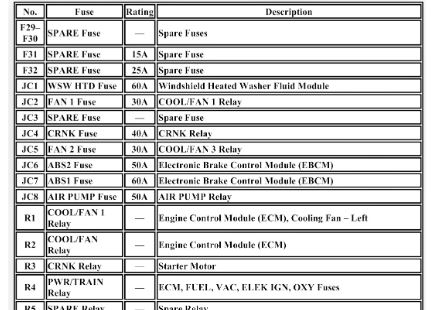
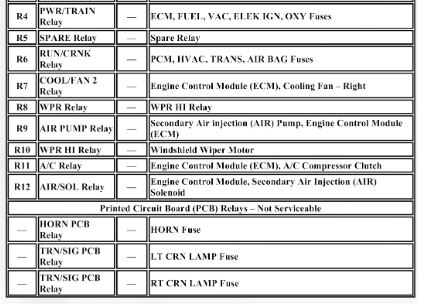
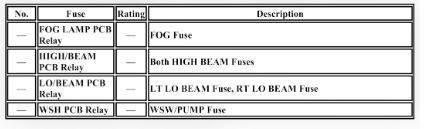
I am also attaching diagrams showing the fuse locations with a list of their functions. Please keep us up to date on your progress and thank you for using 2CarPros!
Dec 23, 2019 at 4:17 AM
Avatar
  • MEMBER
  • 3 POSTS
First of all I want to thank you for your reply very generous of you thank you very much now, I checked all the fuses, all the fuses are good and working.
The only problem now is I do not know how to check the relays
That are in the fuse box can someone please help me with this.
Speedometer and associated equipment with that still does not work after the mechanics jump started my car from the battery which they should not have done in the first place.
Dec 25, 2019 at 11:44 AM
Advertisement
Avatar
KASEKENNY
  • CERTIFIED EXPERT
  • 18,907 POSTS
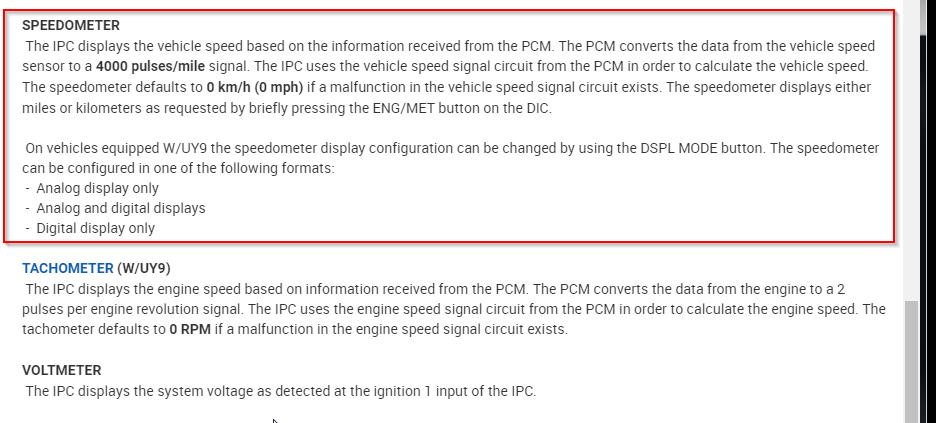
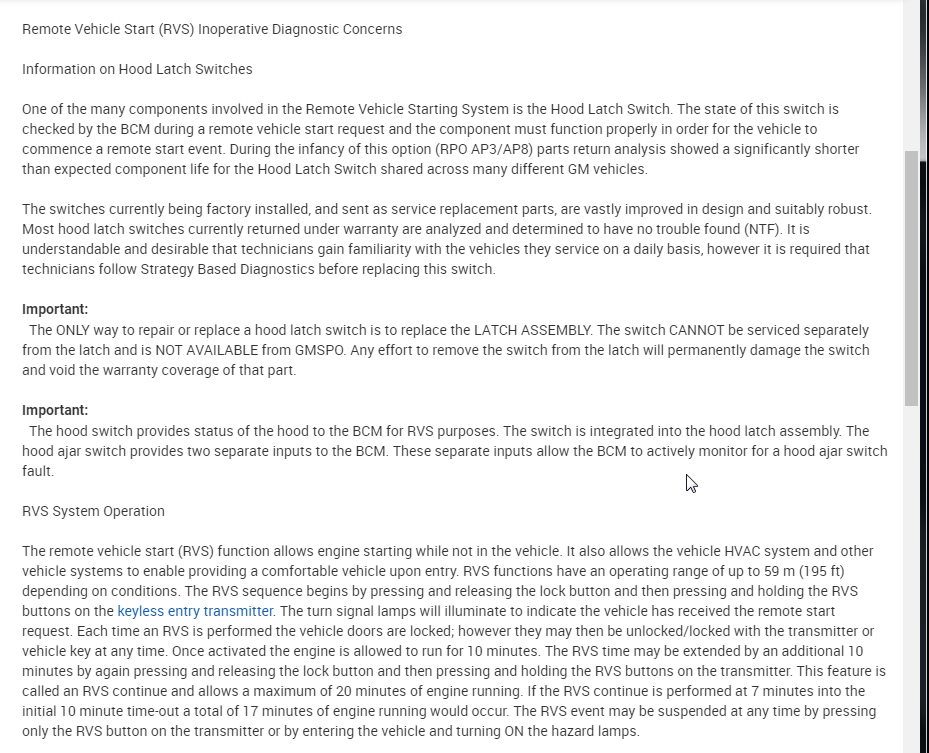
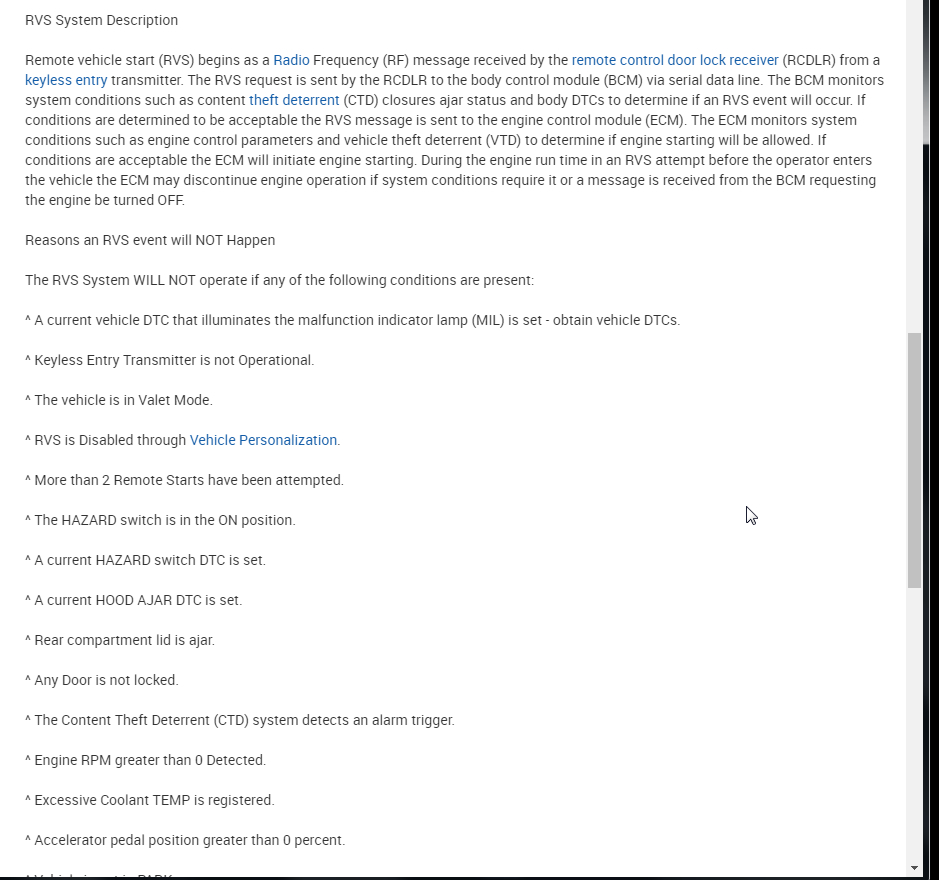
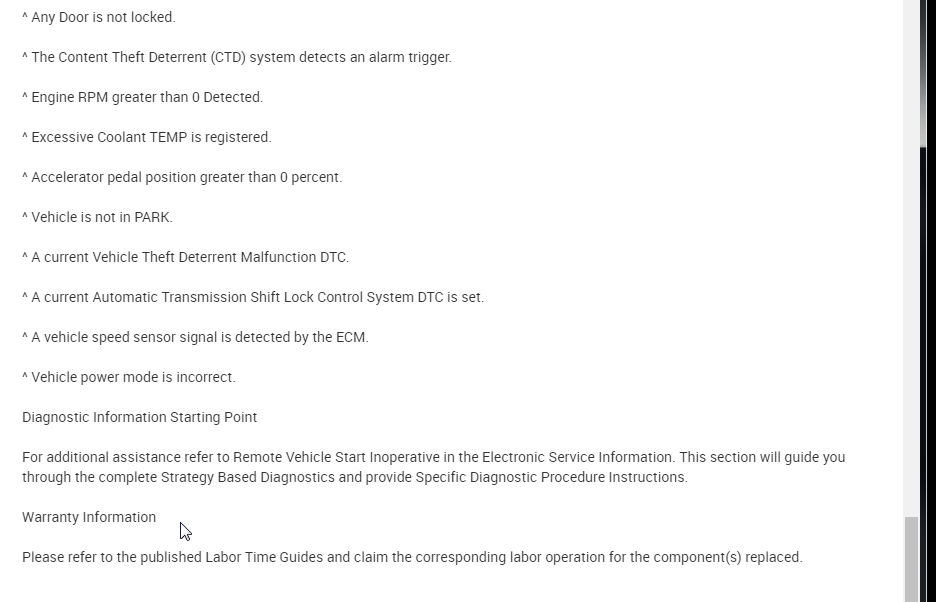
I am not sure how this happened but it appears it may have taken out the circuit board of the cluster or the PCM. The speedometer is operated by the cluster taking the vehicle speed sensor from the PCM and displaying it. The fuel economy is just an average based on info from the IPC and PCM and the remote start has a lot of inhibit parameters from the IPC and PCM.

I would suggest starting with checking for codes. I am not sure how just jumping from the battery would cause this unless they hooked the cables up backwards. The reason is, when you use the auxiliary location and not directly to the battery they are just cables that run to a more convenient location which gives better access.

I would suggest starting with the codes and going from there. Thanks
Dec 29, 2019 at 4:28 PM