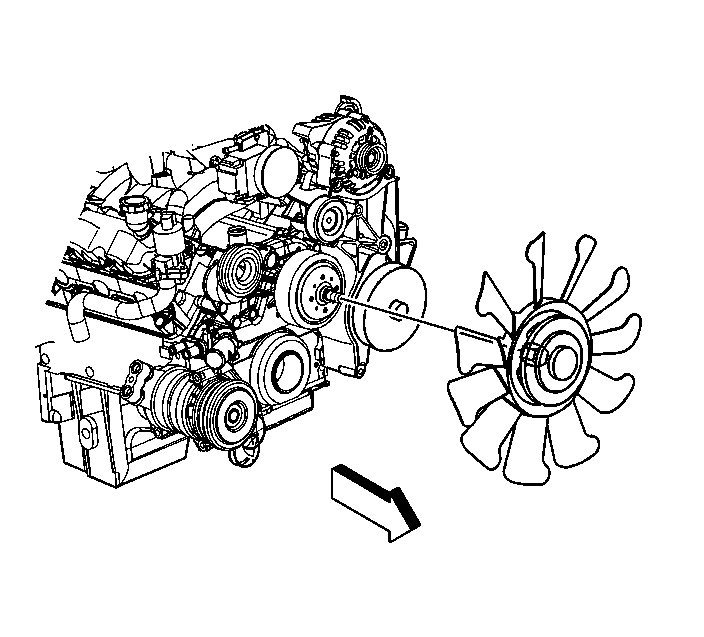
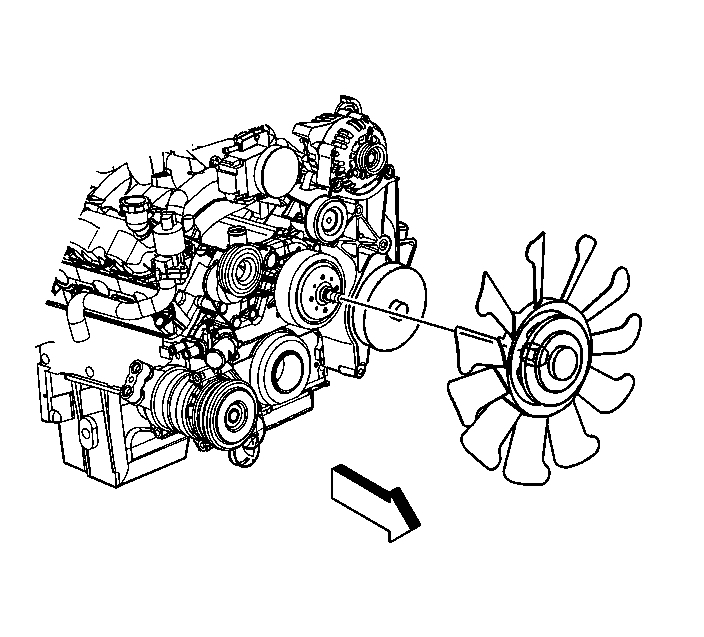
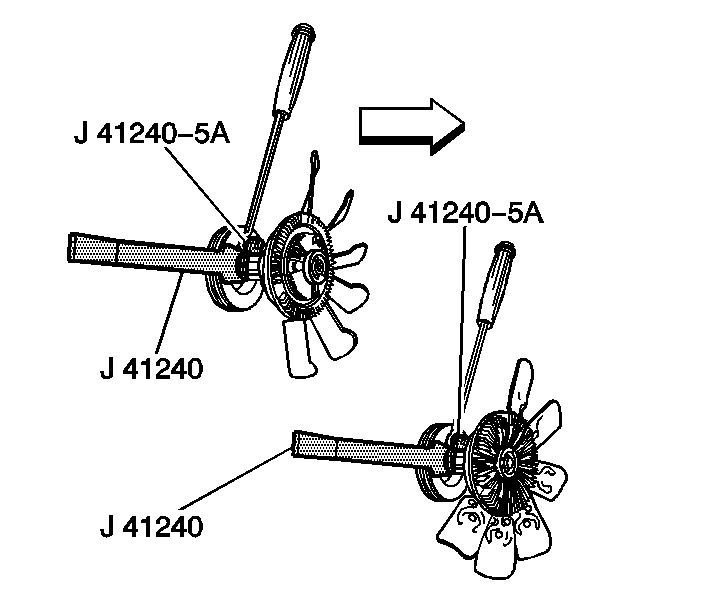
The fan and clutch assembly bolt onto the water pump pulley assembly. Here are the directions for removing. Note that you will need a special tool to remove it. Most parts stores will lend one to you.
_________________________________
2004 GMC Truck Sierra 1500 2WD V6-4.3L VIN X
Fan Replacement
Vehicle Engine, Cooling and Exhaust Cooling System Radiator Cooling Fan Service and Repair Procedures Fan Replacement
FAN REPLACEMENT
Fan Replacement
^ Tools Required
- J 46406 Fan Clutch Remover and Installer
Removal Procedure
pic 1
1. Remove the upper fan shroud.
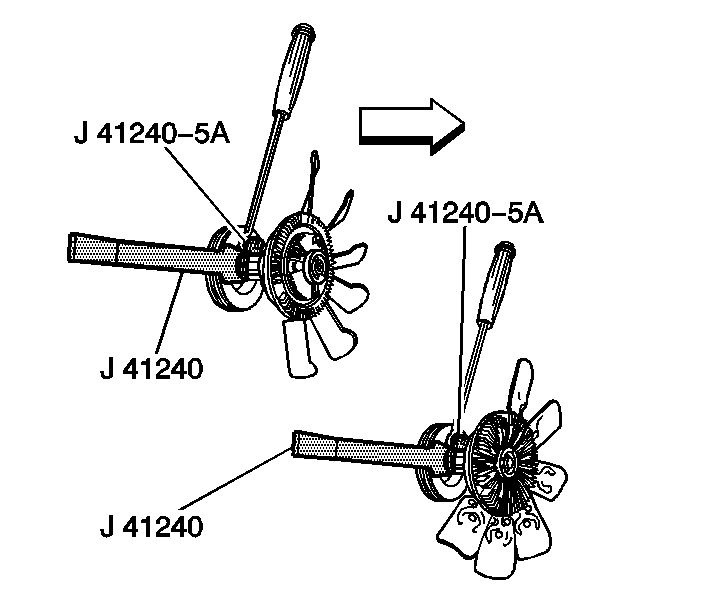
2. Install the J 46406 to the fan clutch.
pic 2
3. Remove the fan hub nut from the water pump in a counterclockwise rotation.
pic 3
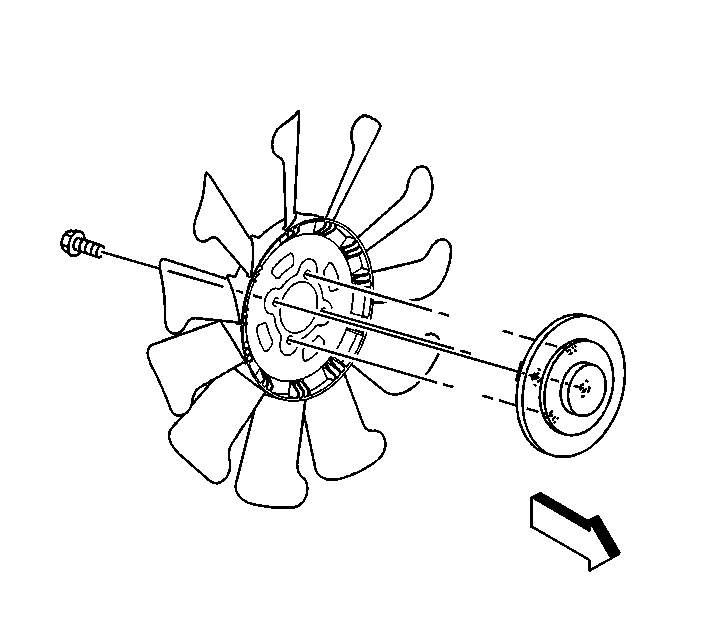
4. Remove the fan clutch bolts from the rear of the fan blade.
5. Separate the fan clutch from the fan blade.
Installation Procedure
Caution: Do not use or attempt to repair a damaged cooling fan assembly. Replace damaged fans with new assemblies. An unbalanced cooling fan could fly apart causing personal injury and property damage.
pic 4
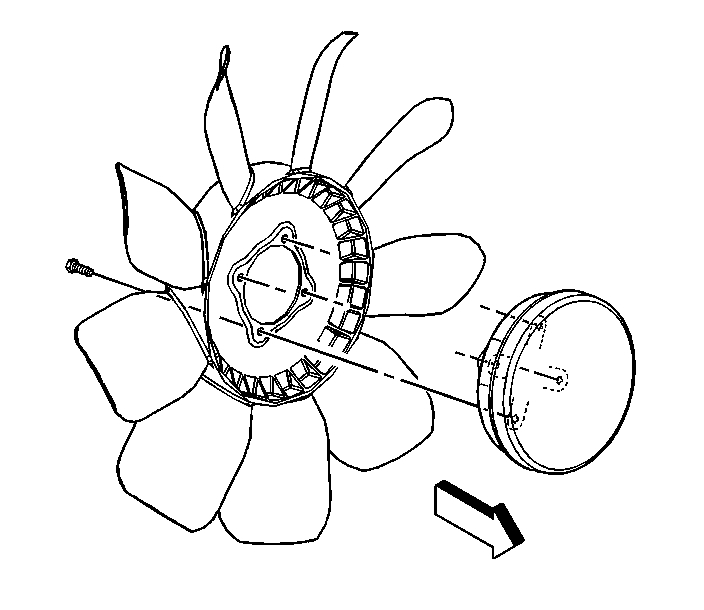
1. Install the fan clutch onto the fan blade.
2. Notice: Refer to Fastener Notice in Service Precautions.
Install the fan clutch bolts
Tighten the bolts to 23 Nm (17 ft. lbs.).
pic 5
3. Install the fan assembly.
pic 6
4. Install the J 46406 to the fan clutch.
Tighten the nut clockwise to 56 Nm (41 ft. lbs.).
5. Install the upper fan shroud.
_______________________________
Let me know if this helps or if you have other questions.
Take care,
Joe
Images (Click to enlarge)
Jan 14, 2020 at 8:46 PM