Hi and thanks for using 2carpros.com
The first thing I would suggest is to check the antenna's connection in the rear of the radio. If it is loose, it won't work. On this vehicle there is an antenna cable as well as an extension cable. I am going to attach the directions for replacing both. Confirm that where the join, nothing is loose. All attached pictures correlate with these directions,
ANTENNA EXTENSION CABLE REPLACEMENT
ANTENNA EXTENSION CABLE REPLACEMENT
REMOVAL PROCEDURE
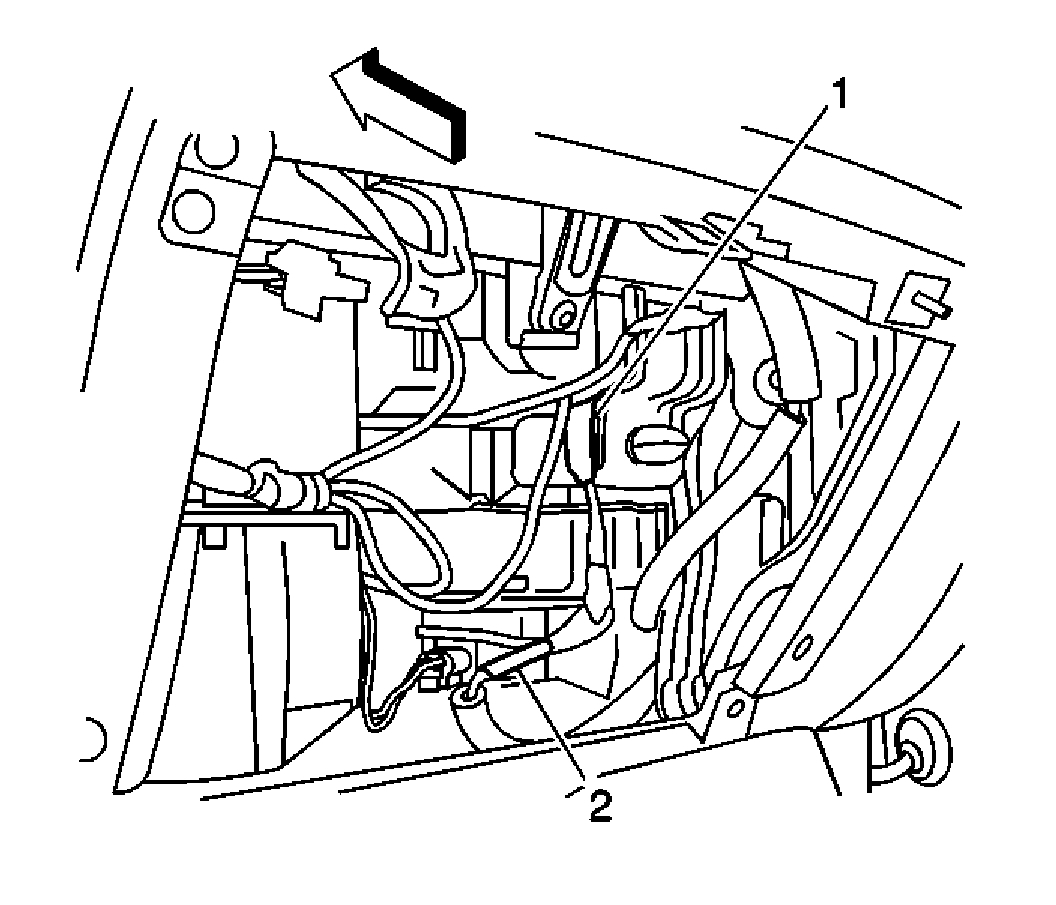
1. Remove the inflatable restraint instrument panel (IP) module.
pic 1
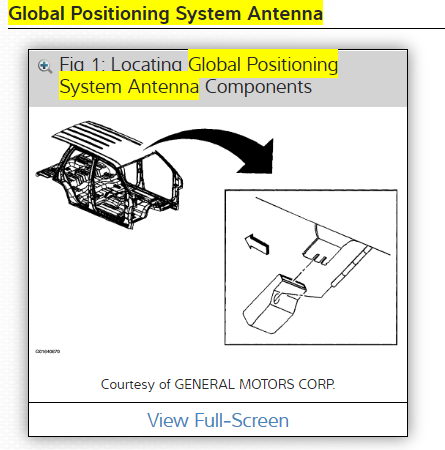
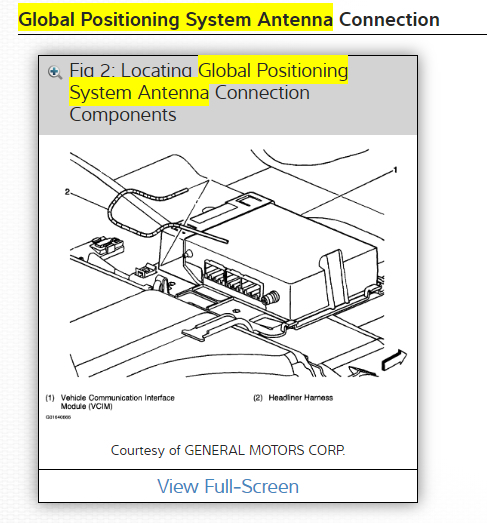
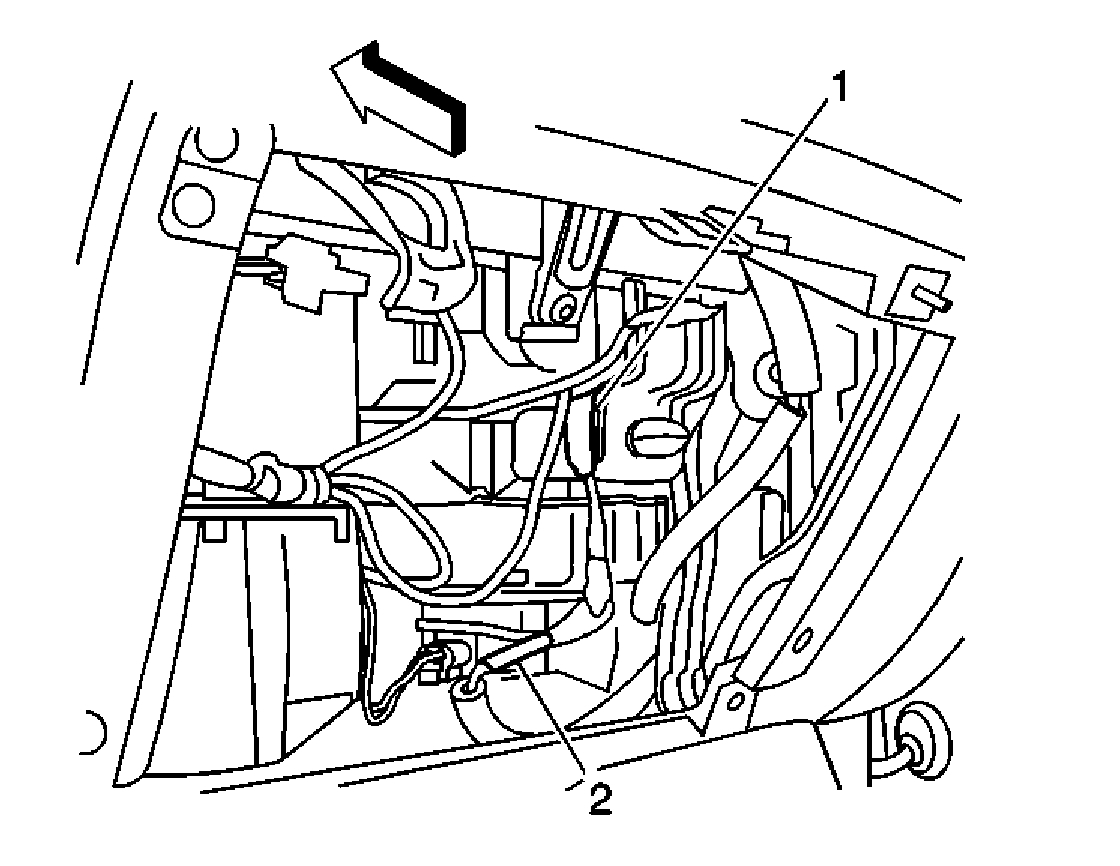
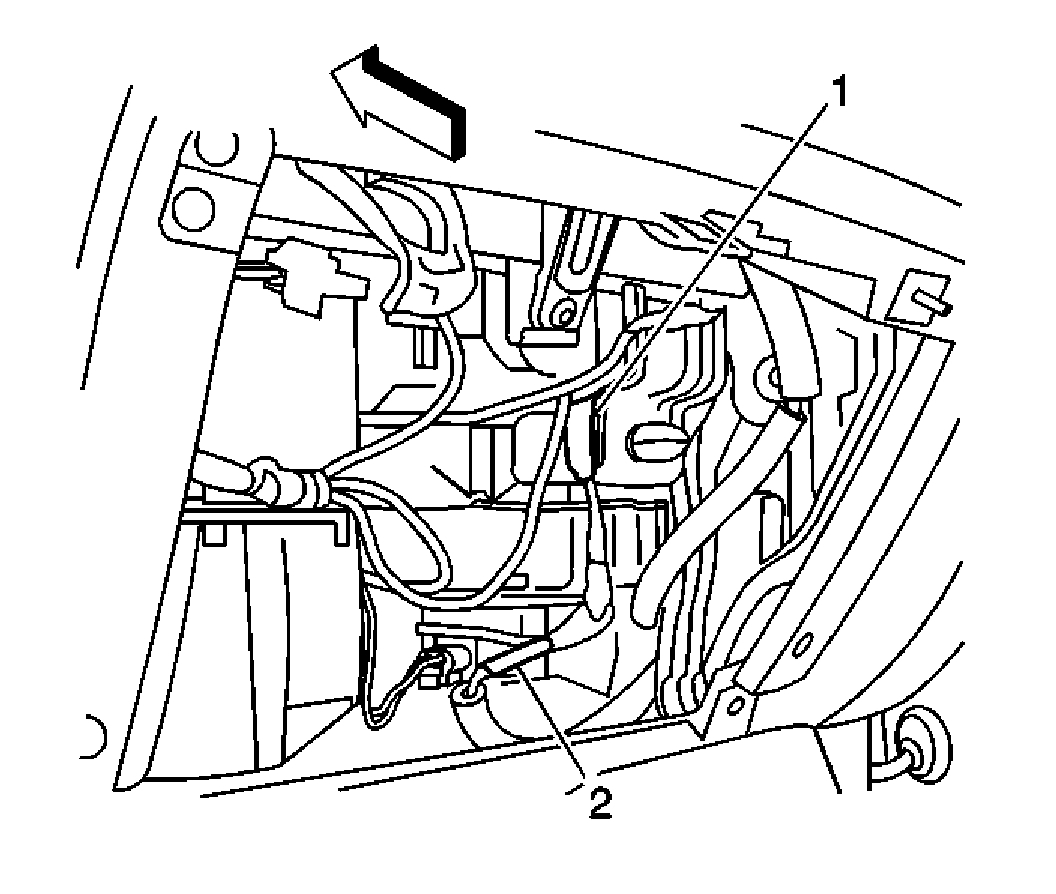
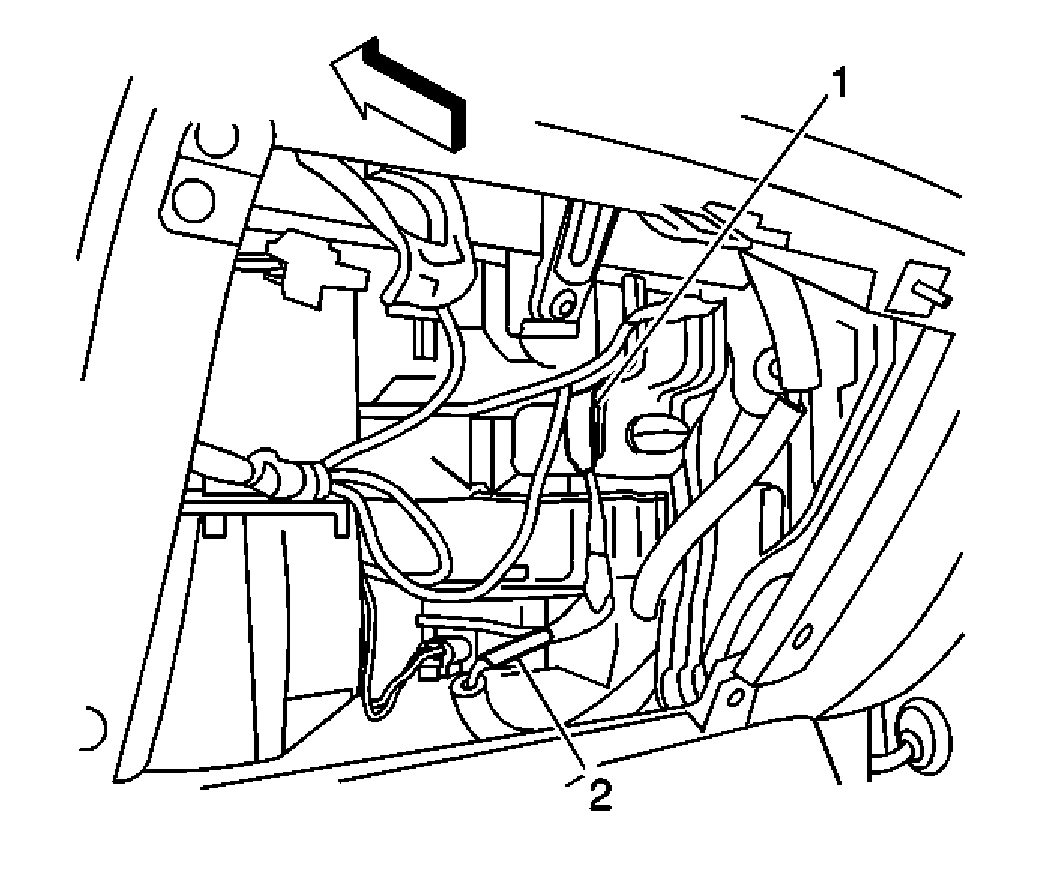
2. Disconnect the antenna cable (2) from the radio extension cable.
pic 2
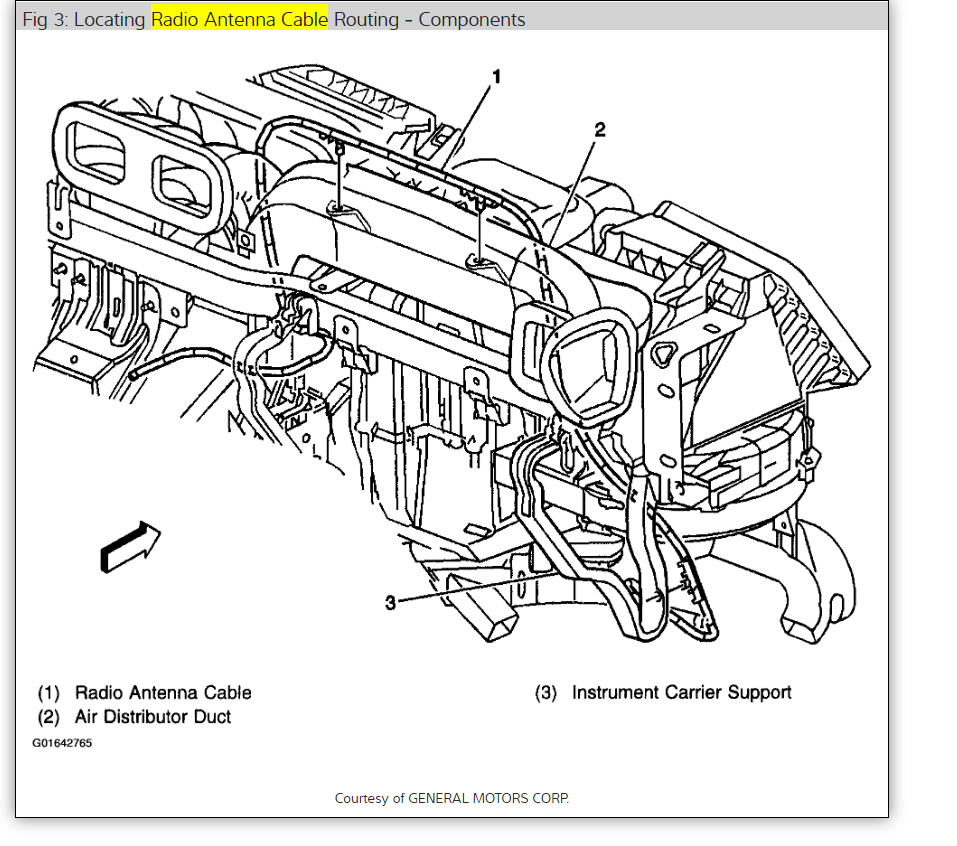
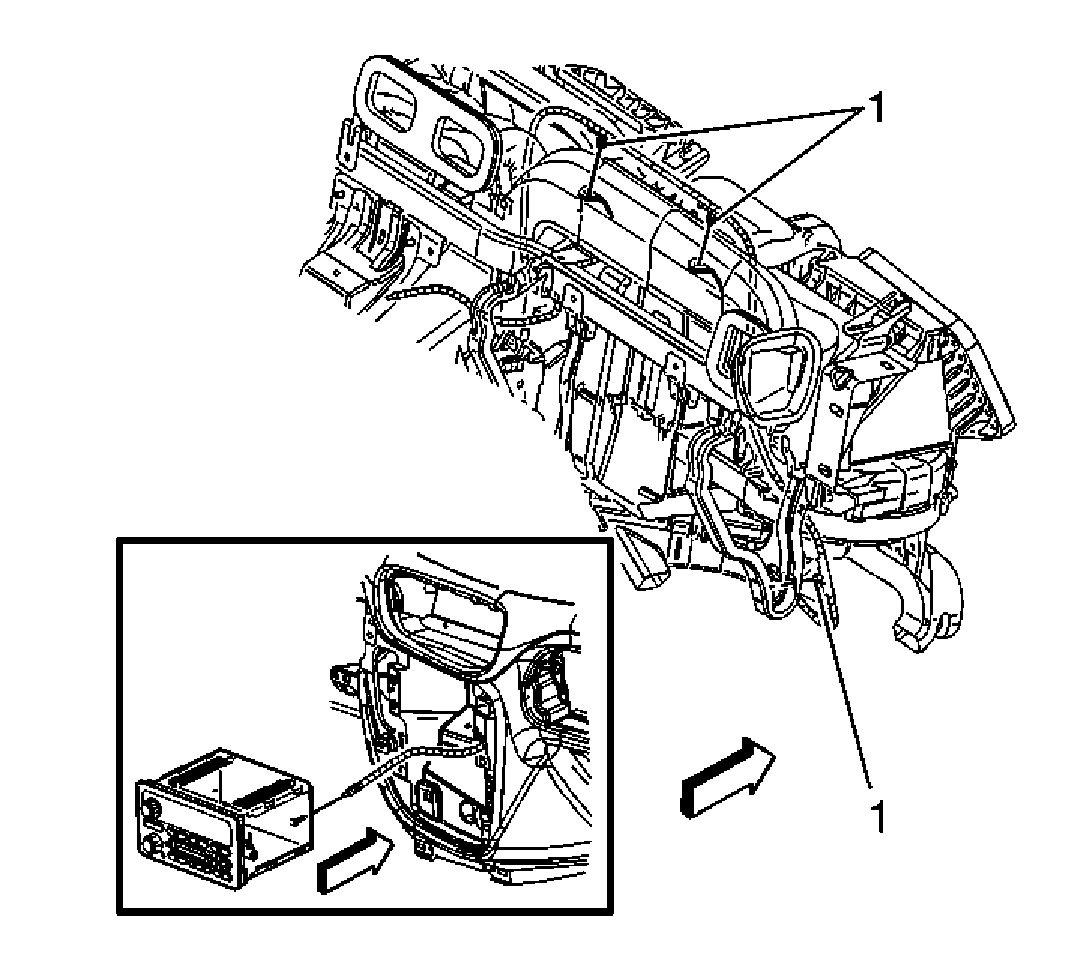
3. Remove the cable attachments (1) from the IP support bars.
IMPORTANT: Note the location of the radio extension cable before removal.
4. Reach through the IP compartment to disconnect the antenna cable from the radio.
5. Remove the radio extension cable from the vehicle.
INSTALLATION PROCEDURE
pic 3
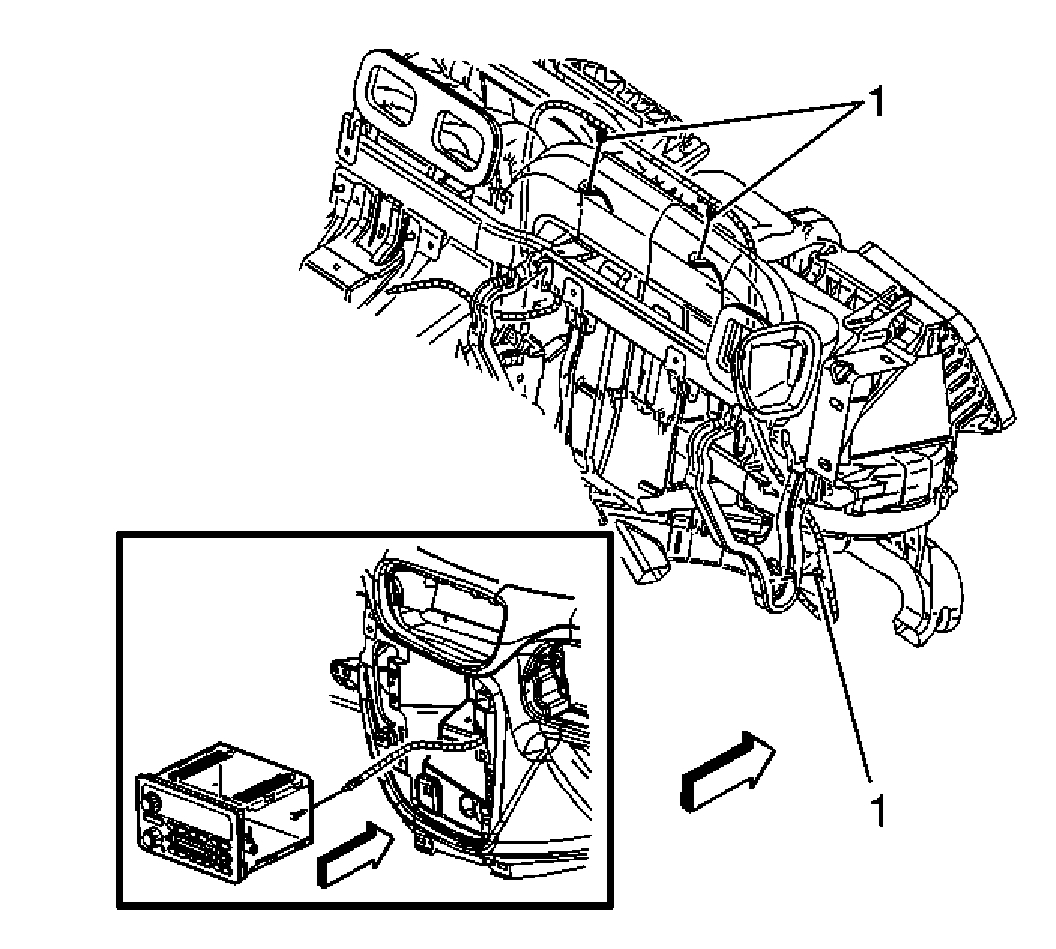
1. Position the radio extension cable to the IP support bars as previously noted.
2. Reach through the IP compartment to connect the antenna cable to the radio.
3. Install the radio extension cable attachments (1) to the IP support bars.
pic 4
4. Connect the antenna cable (2) to the radio extension cable.
5. Install the inflatable restraint module.
__________________________
Antenna cable replacement
ANTENNA CABLE REPLACEMENT
REMOVAL PROCEDURE
pic 5
1. Open the instrument panel (I/P) compartment to a full down position.
2. Disconnect the radio antenna cable (2) from the radio extension cable.
3. Remove the lower rear portion of the wheelhouse panel.
pic 6
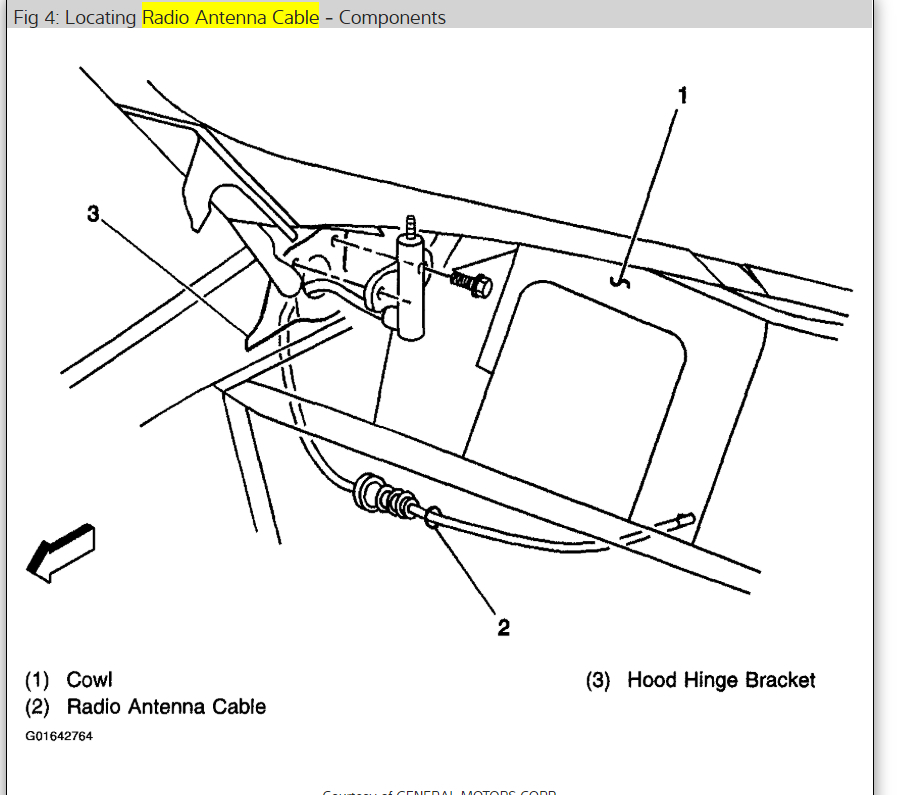
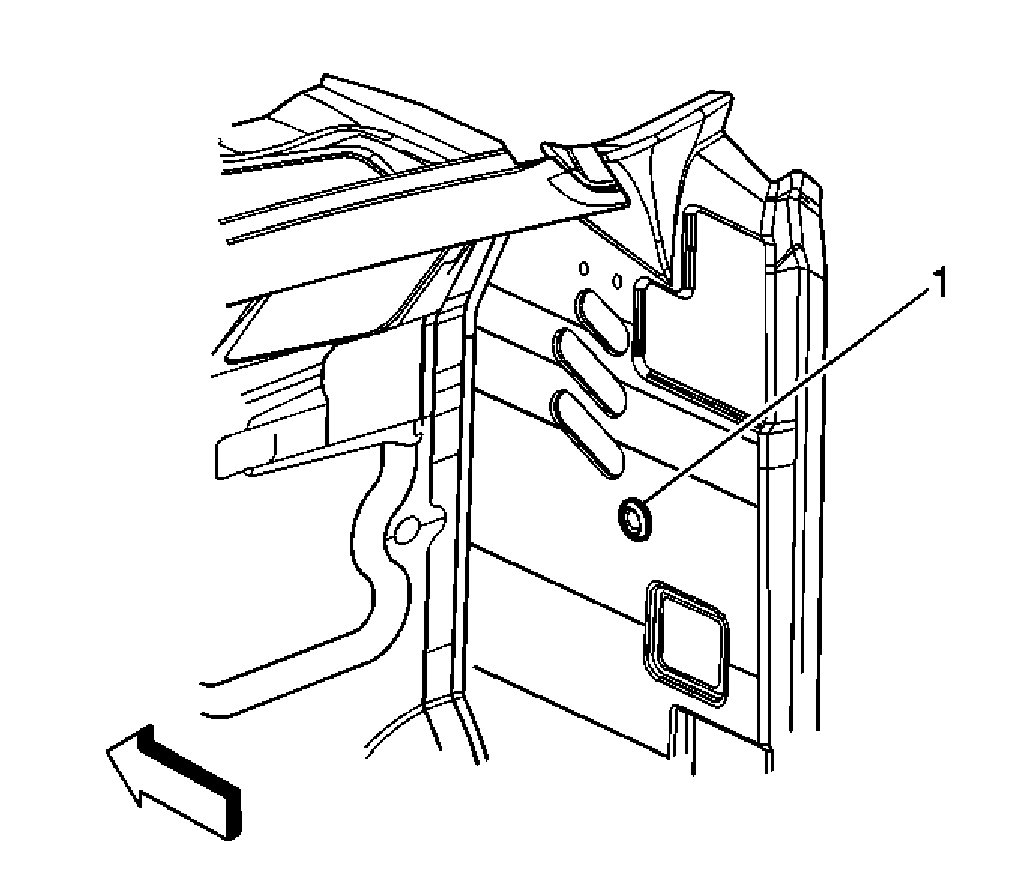
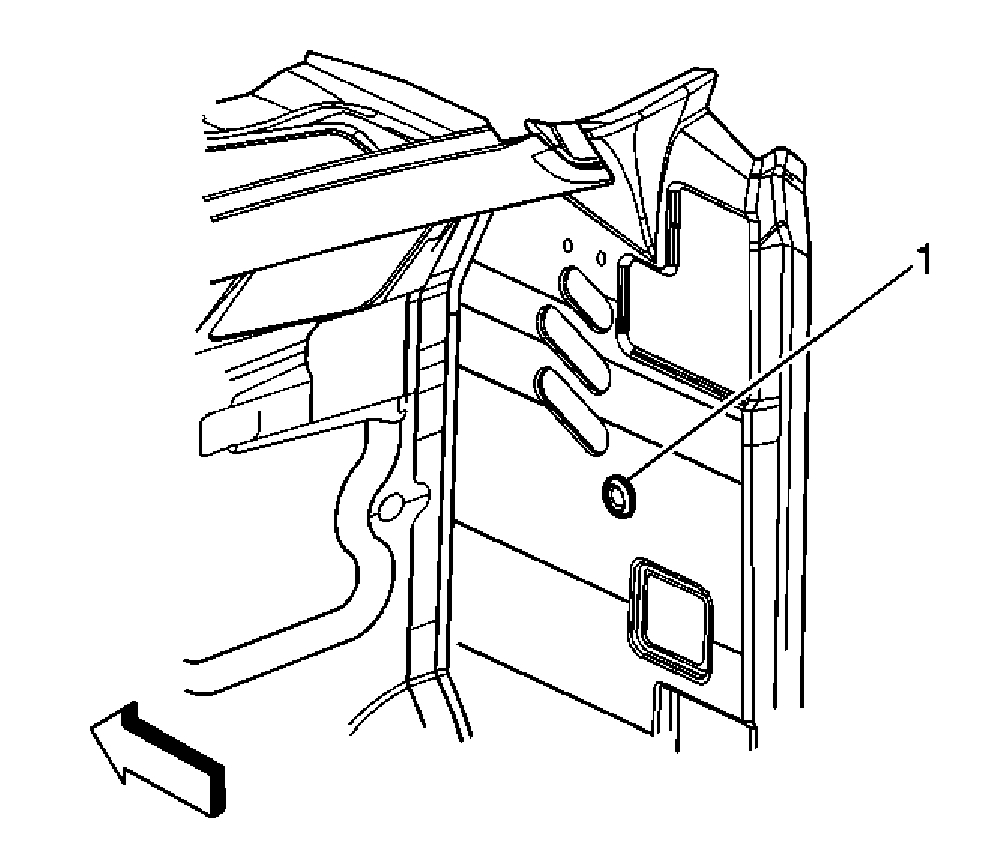
4. Reach up behind the wheelhouse panel and remove the antenna cable and grommet assembly from the cowl opening (1).
5. Pass the end of the radio antenna cable assembly through the cowl opening (1).
6. Remove the antenna mast.
7. Open the hood.
pic 7
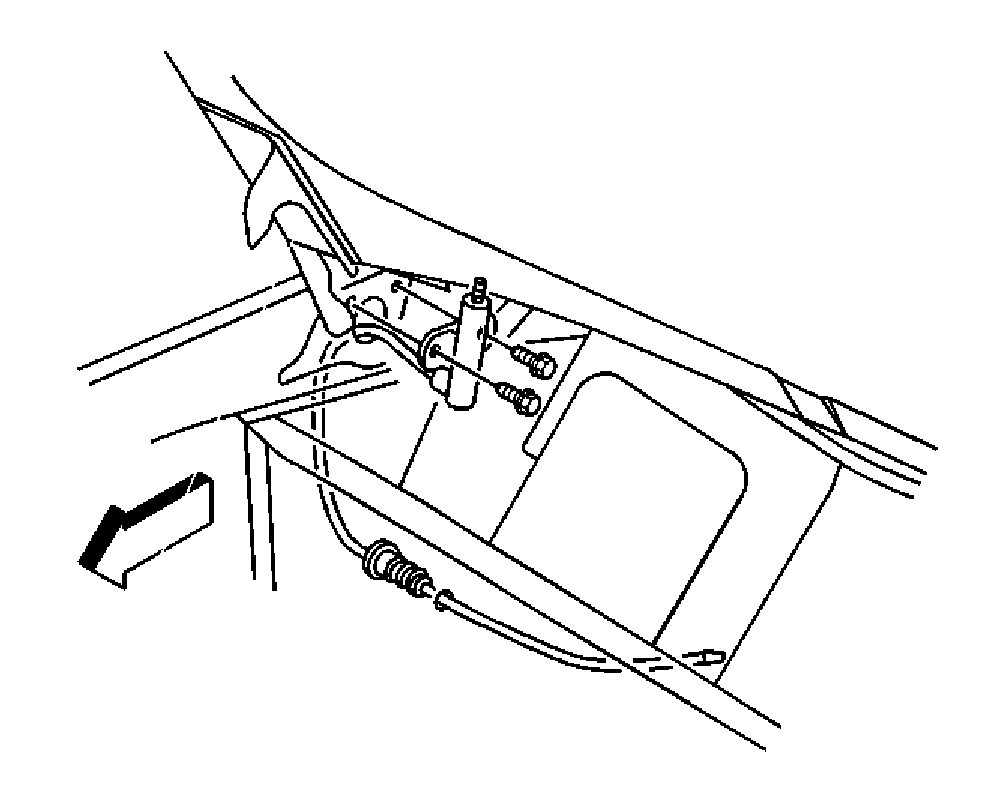
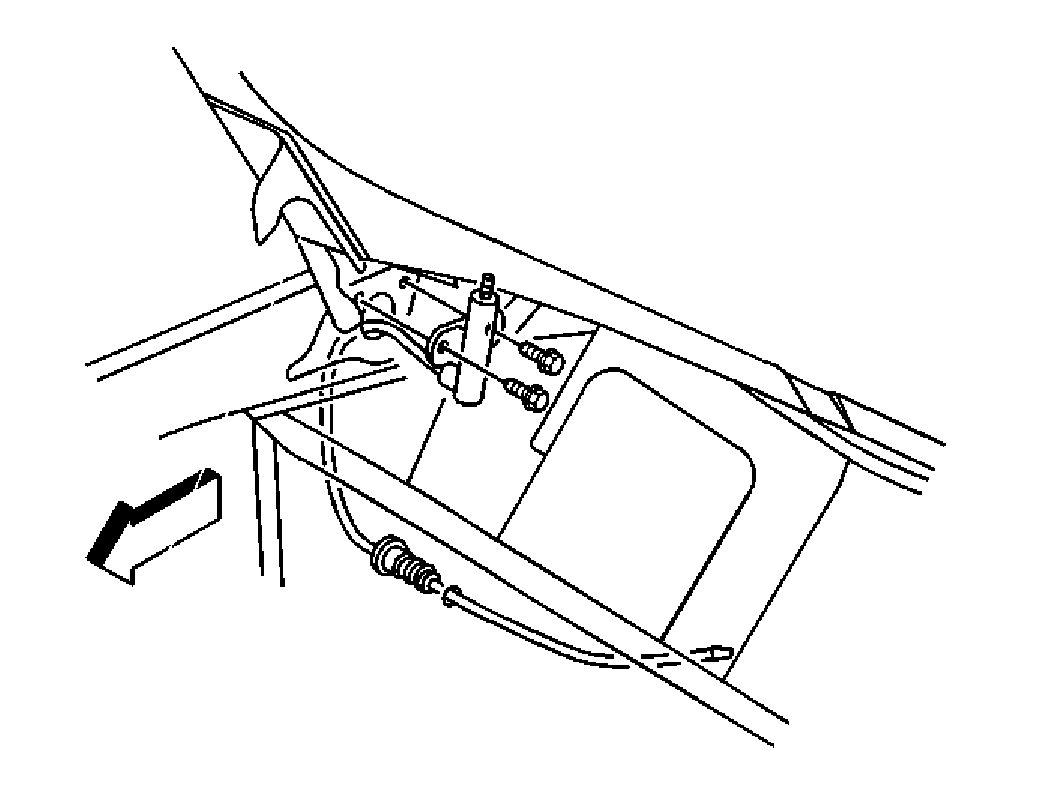
8. Remove the radio antenna cable assembly retaining screws.
9. Pass the antenna cable and grommet assembly through the fender opening.
10. Remove the radio antenna cable assembly from the vehicle.
INSTALLATION PROCEDURE
pic 8
1. Install the radio antenna cable assembly to the vehicle.
2. Pass the antenna cable and grommet assembly through the fender opening.
3. Install the radio antenna cable assembly retaining screws.
NOTE: Refer to Fastener Notice in Service Precautions.
Tighten
Tighten the radio antenna cable assembly screws to 2.8 N.m (25 lb in).
4. Close the hood.
5. Install the antenna mast.
pic 9
6. Reach up behind the wheelhouse panel and pass the end of the radio antenna cable assembly through the cowl opening (1).
7. Install the antenna cable grommet assembly to the cowl opening.
8. Install the wheelhouse panel.
pic 10
9. Install the radio antenna cable (2) to the radio extension cable.
10. Close the I/P compartment.
________________________________________
Let me know if this helps or if you have other questions.
Take care,
Joe
Images (Click to enlarge)
Mar 31, 2021 at 5:38 PM