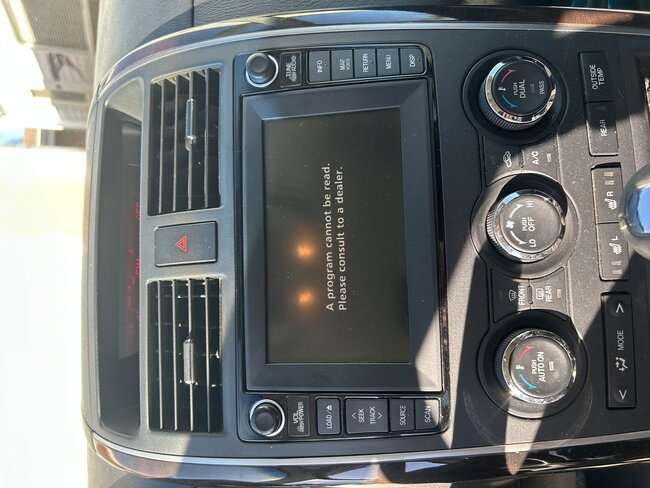
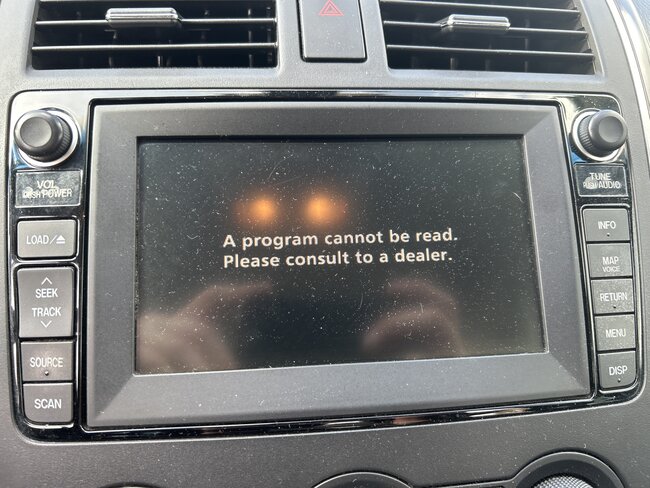
Radio display “A program cannot be read-please consult to a dealer”?

2010 MAZDA CX-9
1,222 MILES
Avatar
FISCHER BRADFORD
  • MEMBER
  • 8 POSTS
Trying to fix my mom’s radio display screen they took it to the dealer, and they quoted them $5000 to fix the display screen.
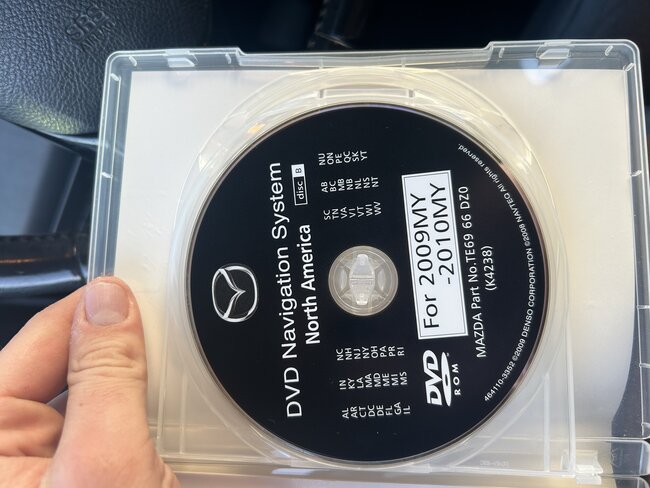
The current model I have includes a navigation disc that is supposed to solve the issue, but it doesn’t do anything when inserted. I’ve looked everywhere for an SD card, but I don’t believe the 2010 grand touring has one.
I’ve read online of people using the original navigation disc and it works for them. These are the only two I have. Wondering if there’s another disc I could attempt? Or if anyone knows of an SD location on this make? Any suggestions help. Planning on just replacing to whole display system if nothing else works.
Mar 24, 2025 at 6:48 PM
Advertisement
Avatar
FISCHER BRADFORD
  • MEMBER
  • 8 POSTS
I’ve found tons of forums with the same issue but no exact resolution for this make.
Mar 24, 2025 at 6:50 PM
Avatar
FISCHER BRADFORD
  • MEMBER
  • 8 POSTS
It is the Bose sound system as well.
Mar 24, 2025 at 6:51 PM
Advertisement
Avatar
STEVE W.
  • CERTIFIED EXPERT
  • 15,113 POSTS
Okay so the disc will go into the unit, but it isn't read? Or does it go in and reads but does nothing? An item to try is simply disconnect the battery, then as soon as the battery is connected you try the disc and see if it will read. Next you can try a system reset, Turn the key On, then push and hold the power switch while pushing folder UP button and the Seek Down button for at least 3 seconds. That erases the presets and resets it, then try loading again. If it doesn't change then you may want a dealer to try flashing the vehicles software to be sure it has the latest in it, then try loading the nav software. If it still doesn't work, then you need to look at replacing the unit. However, replacement isn't as simple as unplug the old one and plug in the new one. You need a scan tool to set the system parameters.
Mar 24, 2025 at 9:00 PM
Avatar
FISCHER BRADFORD
  • MEMBER
  • 8 POSTS
When I insert the disc, I get no prompts of anything on the screen. It just goes in, and the screen goes back down as usual, but nothing changes on the screen. I will give some of these suggestions a try tomorrow and follow up. Thank you!
Mar 24, 2025 at 10:24 PM
Avatar
STEVE W.
  • CERTIFIED EXPERT
  • 15,113 POSTS
Okay, that sort of sounds like the laser may have failed so it cannot read it. Good luck with it. There are not a lot of places that rebuild those either.
Mar 25, 2025 at 9:11 PM
Avatar
FISCHER BRADFORD
  • MEMBER
  • 8 POSTS
Hey sorry for the late response.
No luck on disconnecting the battery. Also don’t have the button option that you mentioned to do the reset. Car comes with two cd readers one for the update and one for music. I was able to get a soundtrack cd in the other spot and it was able to read the cd and play music.
Mar 28, 2025 at 3:57 PM
Avatar
FISCHER BRADFORD
  • MEMBER
  • 8 POSTS
Hey sorry for the late response.
No luck on disconnecting the battery. Also don’t have the button option that you mentioned to do the reset. Car comes with two cd readers one for the update and one for music. I was able to get a soundtrack cd in the other spot and it was able to read the cd and play music.
Mar 28, 2025 at 3:57 PM
Avatar
FISCHER BRADFORD
  • MEMBER
  • 8 POSTS
Better pic of screen.
Mar 28, 2025 at 3:59 PM
Avatar
FISCHER BRADFORD
  • MEMBER
  • 8 POSTS
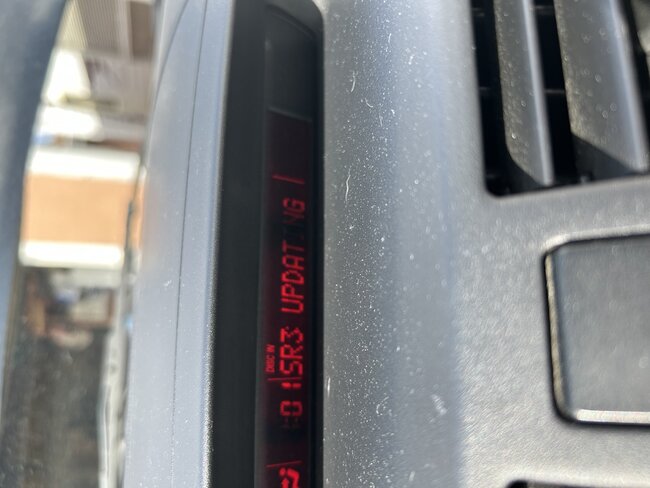
Also notice on the top display sr2 and sr3 will flash updating for the first minute when update DVD is inserted.
Mar 28, 2025 at 4:07 PM
Avatar
STEVE W.
  • CERTIFIED EXPERT
  • 15,113 POSTS
Okay, that sounds like the unit is bad and likely needs replacement. Unfortunately, they are not a plug and play unit. You need a dealer level scan tool and a programming link to Mazda. You might want to look at FORScan and its dongle. That is as close to the factory scan tool as you can get without buying the factory tool. It might allow you to test the system on your own. You would want to verify that your car is covered first.

https://forscan.org/home.html
Mar 28, 2025 at 6:21 PM