Speedometer quit working and check engine light on

1996 PLYMOUTH VOYAGER
2,300,000 MILES • 3.0L • V6 • 2WD • AUTOMATIC
Avatar
SIMPSONMANDY16
  • MEMBER
  • 3 POSTS
not sure if it's input or output speed sensors. I don't know where to find the speed sensors input or output location or how to replace them.
Mar 7, 2021 at 5:42 PM
Advertisement
Avatar
DANNY L
  • CERTIFIED EXPERT
  • 5,648 POSTS
Hello, I'm Danny.

The first thing I would do is perform a CAN scan. It will check all the systems on your car including the check engine light and all transmission issues. Here is a tutorial showing what is involved with a CAN scan:

https://www.2carpros.com/articles/can-scan-controller-area-network-easy

Once you have this performed get back to us with any code information that was stored in your vehicle's computer and we can then properly diagnose what could be causing the problem. After that we can also provide you with diagnostic steps for this issue. Hope this helps and thanks for using 2CarPros.
Mar 7, 2021 at 6:03 PM
Avatar
SIMPSONMANDY16
  • MEMBER
  • 3 POSTS
My error codes read are: P0172, P01743, P0500 and P1294.
Mar 7, 2021 at 7:21 PM
Advertisement
Avatar
SIMPSONMANDY16
  • MEMBER
  • 3 POSTS
How do i find and replace the part? i have a new MAP sensor and a vehicle speed sensor already, just need to know how to do the work myself. please can't afford to pay someone else to do it.
Mar 7, 2021 at 8:17 PM
Avatar
JACOBANDNICKOLAS
  • CERTIFIED EXPERT
  • 110,175 POSTS
Hi,

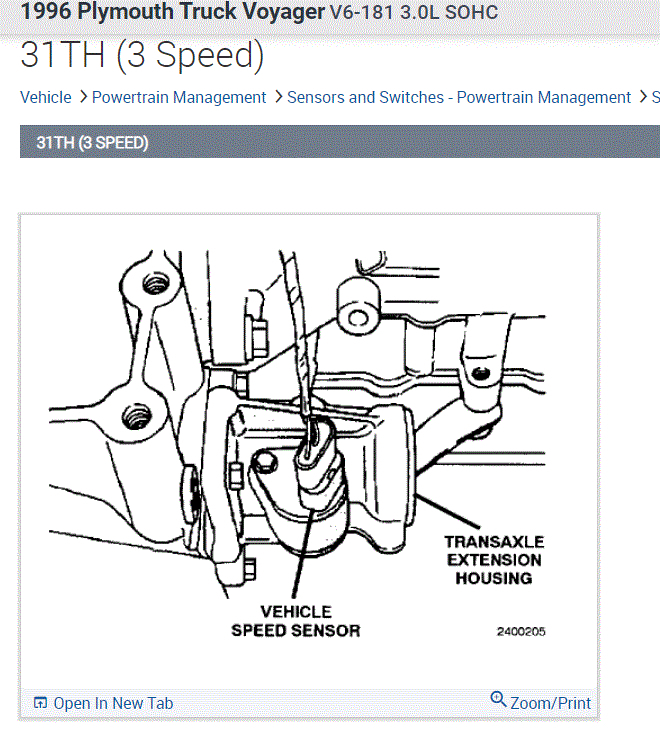
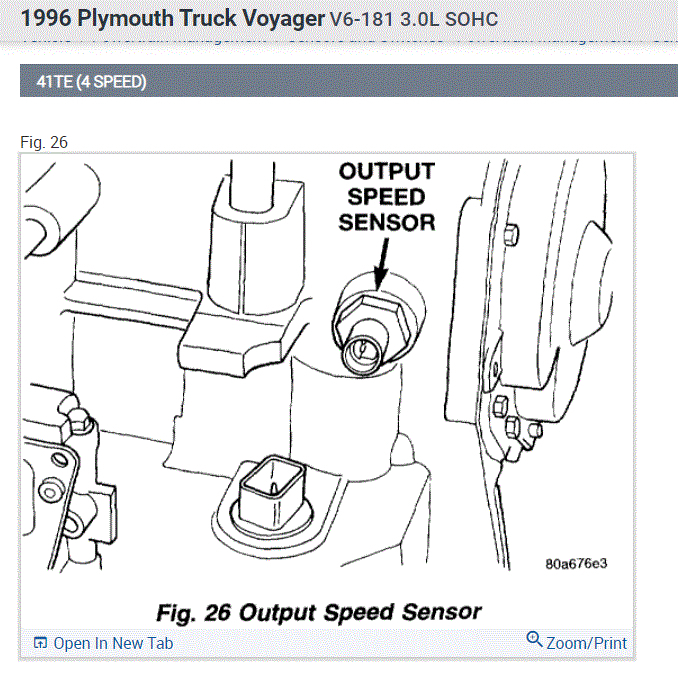
There were two different transmissions used. One was a 3-speed and the other a 4 speed. Pics 1 shows the 3 speed and pic 2 shows the 4-speed sensor location.

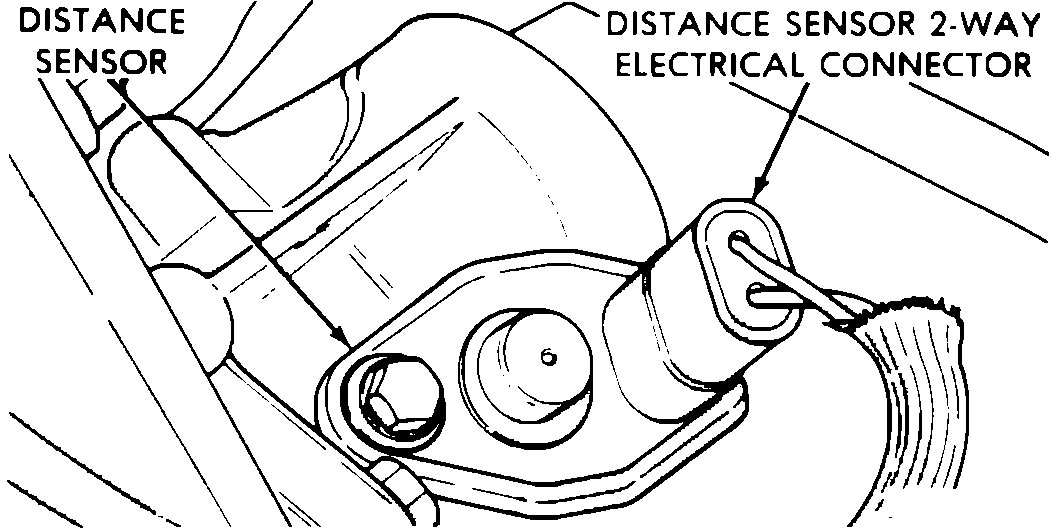
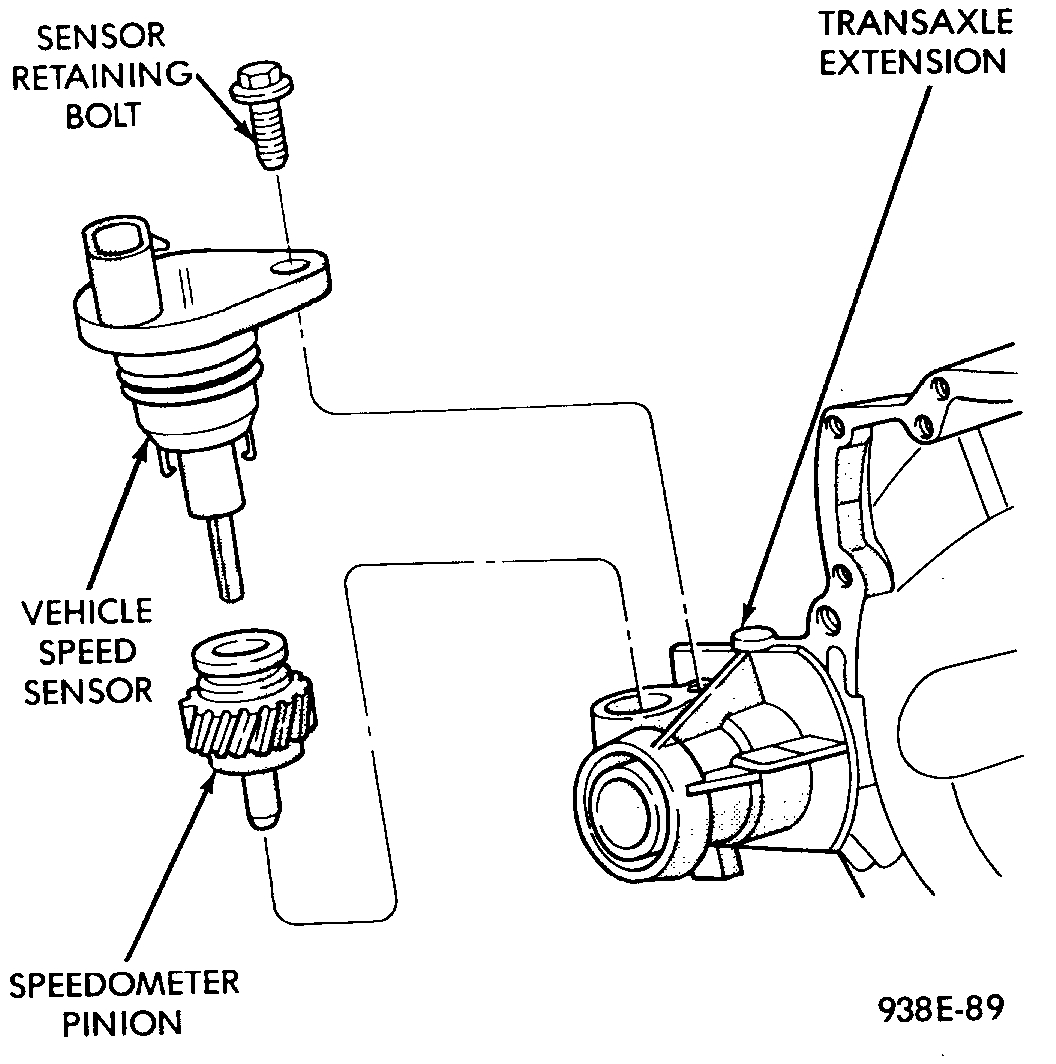
As far as replacement, I will provide the directions. The directions are the same. It's the location that is different. The remaining pics correlate with the directions.

________________________

1996 Plymouth Truck Voyager V6-181 3.0L SOHC
Procedures
Vehicle Powertrain Management Sensors and Switches - Powertrain Management Sensors and Switches - Computers and Control Systems Vehicle Speed Sensor Service and Repair Procedures
PROCEDURES
Vehicle Distance Sensor

pic 3

Fig. 8 Vehicle Speed Sensor And Speedometer Pinion

pic 4


NOTE: Applies only to vehicles without 4speed/overdrive (41TE) transmission.

Sensor mounted in passenger side transaxle output housing.

1. Disconnect sensor wiring connector.
2. Use a long extension and a 10mm socket to remove hold down bolt.
3. Pull sensor our of output housing -- may have to rotate as you pull.

_____________________________

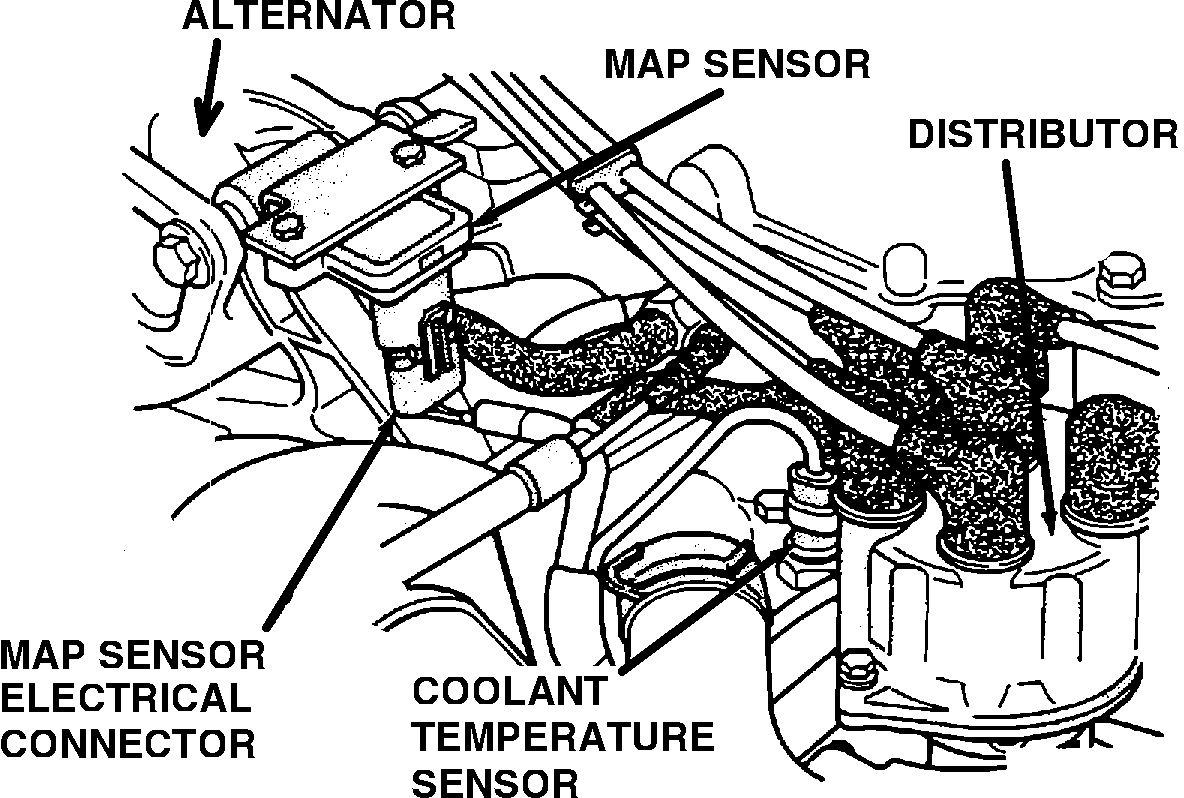
As far as the map sensor, it is located next to the alternator. See pic 5 for location. Here are the directions for replacement.

_____________________________


1996 Plymouth Truck Voyager V6-181 3.0L SOHC
Procedures
Vehicle Powertrain Management Sensors and Switches - Powertrain Management Sensors and Switches - Computers and Control Systems Manifold Pressure/Vacuum Sensor Service and Repair Procedures
PROCEDURES
Map Sensor And Coolant Temperature Sensor Location

see pic 5 again


REMOVAL
1. Remove vacuum hose and mounting screws from manifold absolute pressure (MAP) sensor.
2. Disconnect electrical connector from sensor. Remove sensor.

INSTALLATION
1. Reverse the above procedure for installation.

_____________________________________

I hope this helps. Let me know if you have other questions.

Take care and God Bless,

Joe
Mar 10, 2021 at 5:22 PM
Avatar
DANNY L
  • CERTIFIED EXPERT
  • 5,648 POSTS
Hello again.

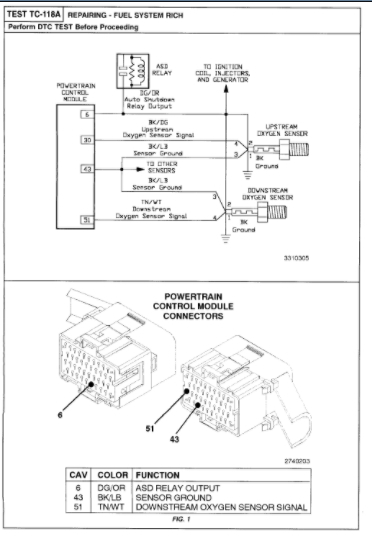
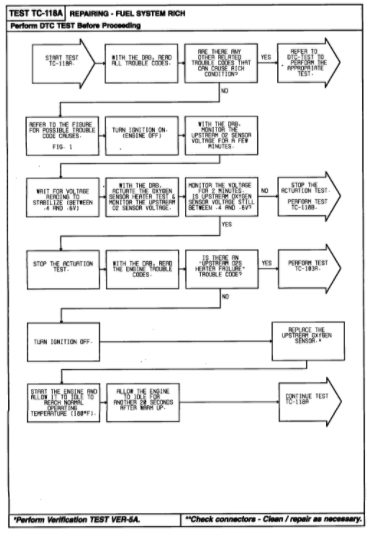
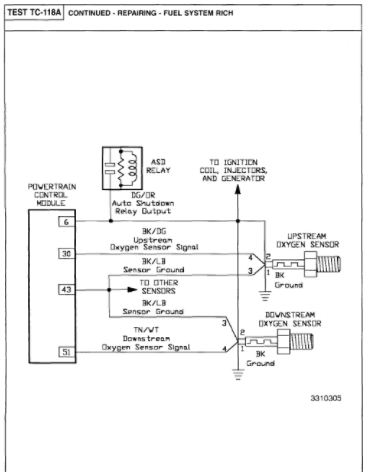
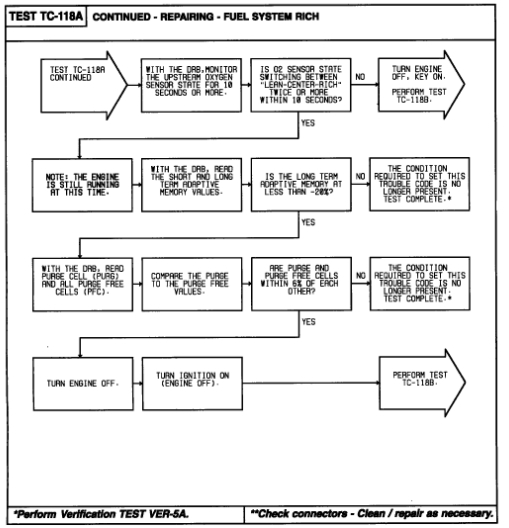
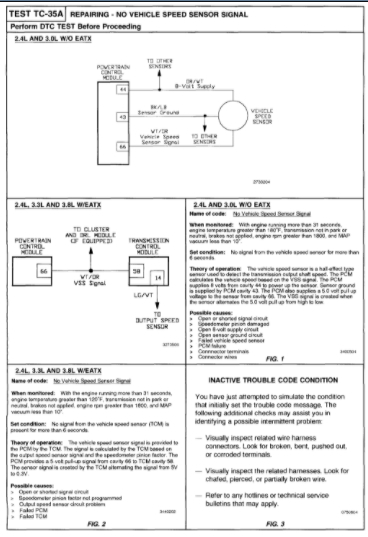
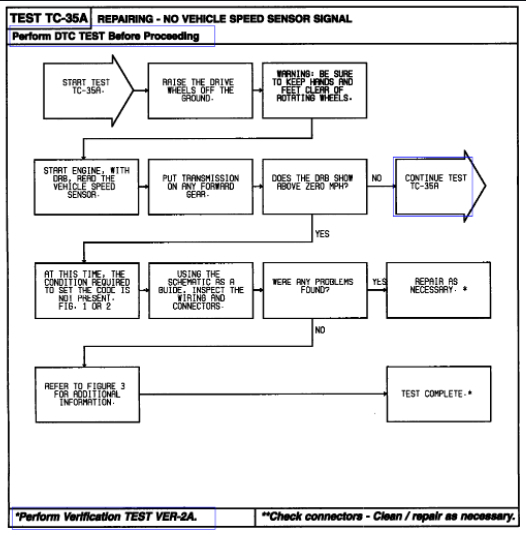
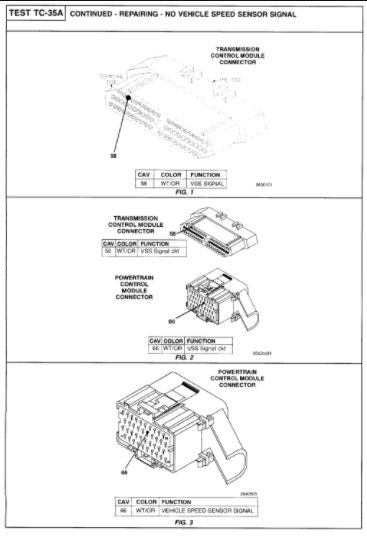
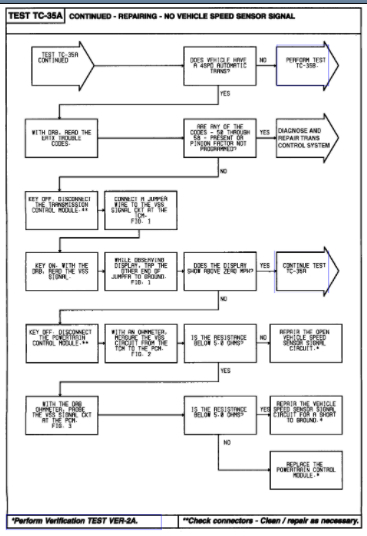
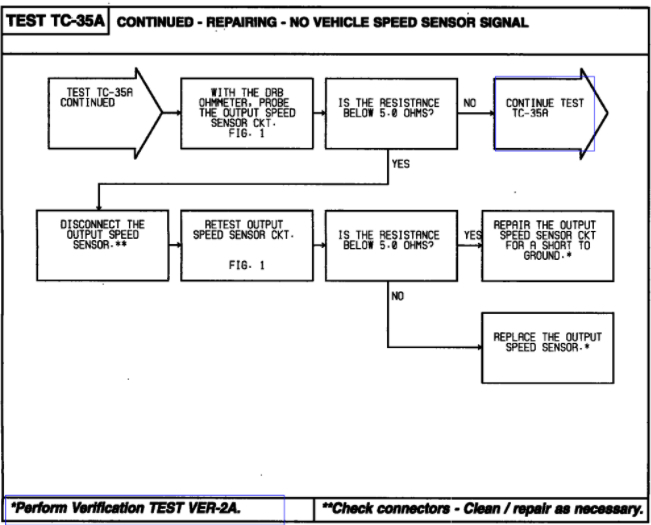
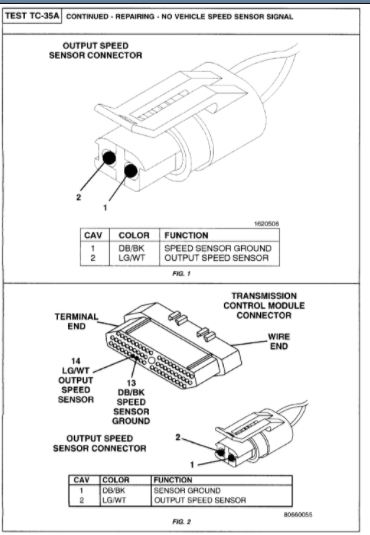
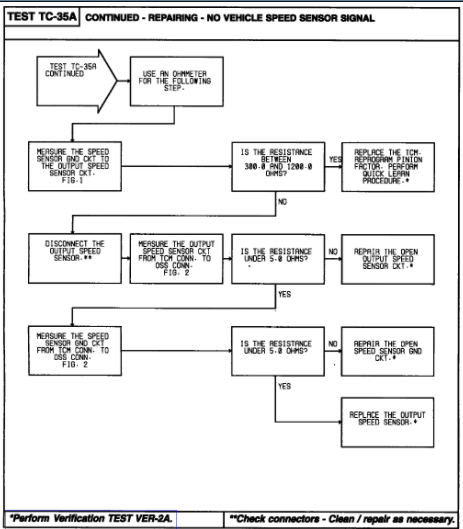
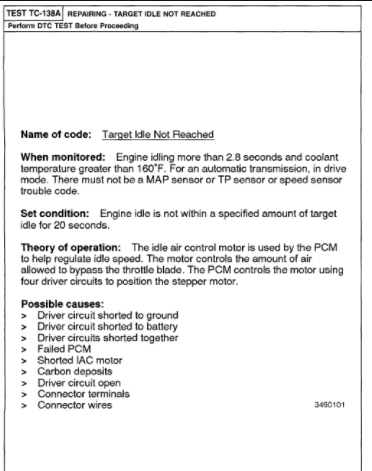
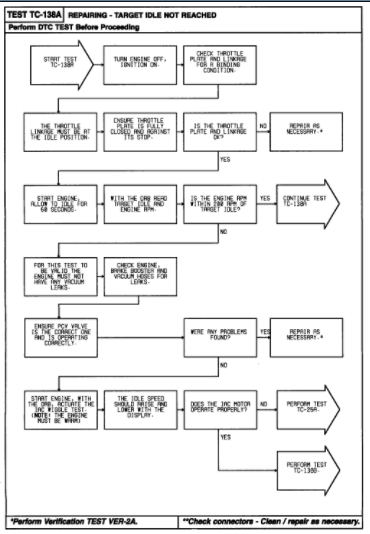
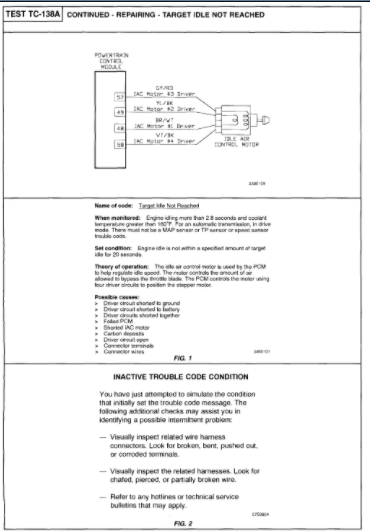
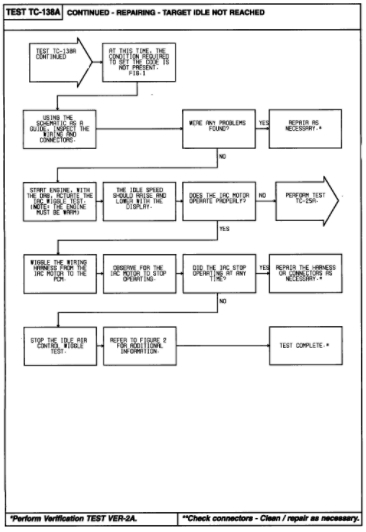
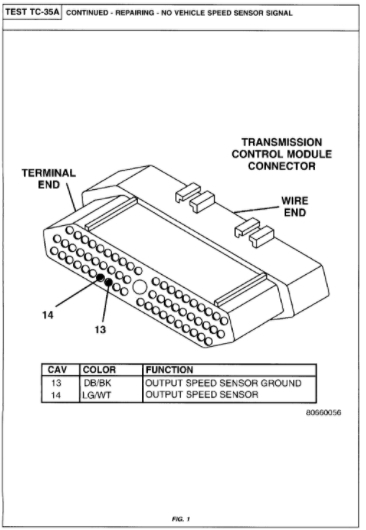
Here is the information for the codes you included in your response. Code P0172 is for Fuel System Rich. Code P0500 is for No vehicle Speed Sensor Signal. Code P1294 is for Target Idle Not Reached. Code P1743 does not show up or exist. In your original post you mentioned the speedometer stopped working and I believe code P0500 has a lot to do with it including the VSS-vehicle speed sensor. If changing the vehicle speed sensor has not solved the problem I've attached picture diagnostic steps below for these codes on your Plymouth van. Hope this helps and keep us updated if you have any further questions on this issue. Thanks again for using 2CarPros .

Danny-
Mar 11, 2021 at 8:00 PM