How do I reset the computer

1995 JEEP GRAND CHEROKEE
200,000 MILES • 4.0L • 4 CYL • 4WD • AUTOMATIC
Avatar
PHAM TIEN
  • MEMBER
  • 3 POSTS
I started the car but it did not start. I used the second key to open the passenger door and it started. But when I turned it off and started again, it didn't start.
How do I reset the computer?
Aug 15, 2019 at 3:48 AM

Advertisement
Avatar
KASEKENNY
  • CERTIFIED EXPERT
  • 18,907 POSTS
Hi

You can try disconnecting the battery for 5 minutes and then seeing if this resets the immobilizer.

Let me know if this does not work and we can try something different but this is the most likely easy correction.

Thanks

https://www.2carpros.com/articles/how-to-reset-a-security-system
Aug 15, 2019 at 3:09 PM
Avatar
PHAM TIEN
  • MEMBER
  • 3 POSTS
Hello,
  Thanks for your advice. I unplug the battery and start, it runs fine. But I turned it off and turned it back on, it didn't work again. How can it be permanent without removing the battery?
  Thank you!
Aug 16, 2019 at 1:17 AM
Advertisement
Avatar
KASEKENNY
  • CERTIFIED EXPERT
  • 18,907 POSTS
It must be the key you are using. More than likely it has an issue. I think on these older Jeeps, you had a courtesy start which means it lets you start it one time to get it the shop or home and then it disables again.

You said you had another key. Does this key work to start the vehicle?
Aug 17, 2019 at 4:19 PM
Avatar
PHAM TIEN
  • MEMBER
  • 3 POSTS
Thank you,
Both keys are still in normal use, when I replace the ECM, those two keys only start up once.
Aug 17, 2019 at 10:00 PM
Avatar
KASEKENNY
  • CERTIFIED EXPERT
  • 18,907 POSTS
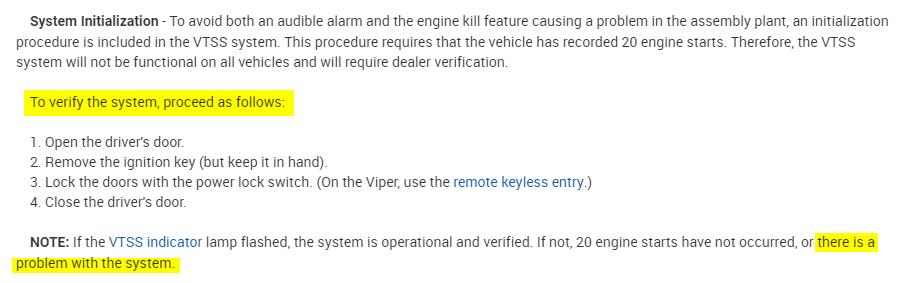
When this does not start, does the theft light blink? Try the attached procedure and see if the lamp flashes. If not, this indicates we have an issue with the system and will need a scan tool that can communicate with the theft system.
Aug 18, 2019 at 4:02 PM