NOTE: Keep any grease off the brake disc/drum and brake pads.
REAR BRAKE DISC REPLACEMENT
1.Raise the rear of the vehicle, and support it with safety stands in the proper locations (see LIFT AND SUPPORT POINTS ).
2.Remove the rear wheel.
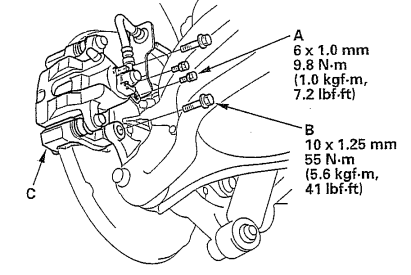
3.Remove the brake hose bracket mounting bolt (A).
4.Remove the brake caliper bracket mountings bolts (B), then remove the caliper assembly (C) from the knuckle. To prevent damage to the caliper assembly or brake hose, use a short piece of wire to hang the caliper assembly from the undercarriage. Do not twist the brake hose excessively.
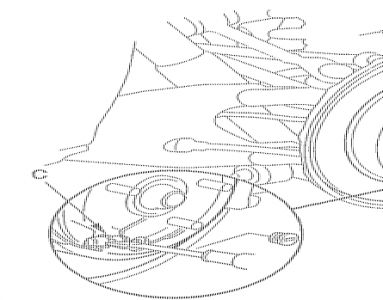
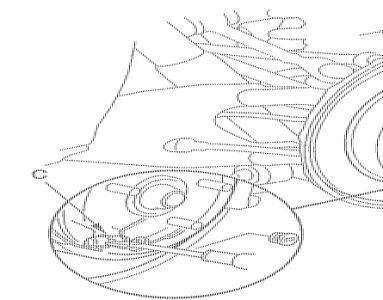
5.Release the parking brake. 6.Remove the brake disc/drum flat screws (A). .
7.Remove the brake disc/drum (B) from the rear hub.
NOTE:
It may be necessary to back-off the parking brake adjuster nut (C) to remove the brake disc/drum from the rear hub (see step 6 under MAJOR ADJUSTMENT (TO BE DONE WHEN REPLACING PARKING BRAKE SHOES)).
? If the brake disc/drum has stuck to the rear hub, screw two 8 x 1.25 mm bolts (D) into the brake disc/drum to push it away from the rear hub. Turn each bolt 90 degrees to prevent the brake disc/drum from binding.
? After installation, check the parking brake, and adjust if necessary
8.Install the brake disc/drum in the reverse order of removal.
NOTE: Before installing the brake disc/drum, clean the mating surfaces of the rear hub and the inside of the brake disc/drum.
9.Clean the mating surfaces of the brake disc/drum and the inside of the wheel, then install the rear wheel.
Feb 11, 2009 at 6:11 AM