Hi,
Have you checked the fan relays? Here are the directions for testing them. Also, the attached pictures correlate with the directions.
____________________________________
2000 Lexus Truck RX 300 AWD V6-3.0L (1MZ-FE)
Cooling Fan Relay(s)
Vehicle Engine, Cooling and Exhaust Cooling System Radiator Cooling Fan Radiator Cooling Fan Motor Relay Testing and Inspection Component Tests and General Diagnostics Cooling Fan Relay(s)
COOLING FAN RELAY(S)
INSPECTION
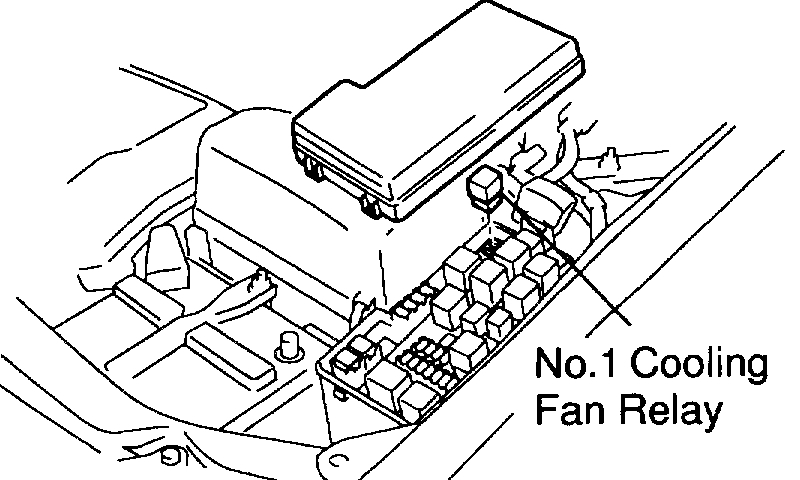
1. INSPECT NO.1 COOLING FAN RELAY
pic 1
a. Remove the No.1 cooling fan relay. (Marking: FAN NO.1)
pic 2
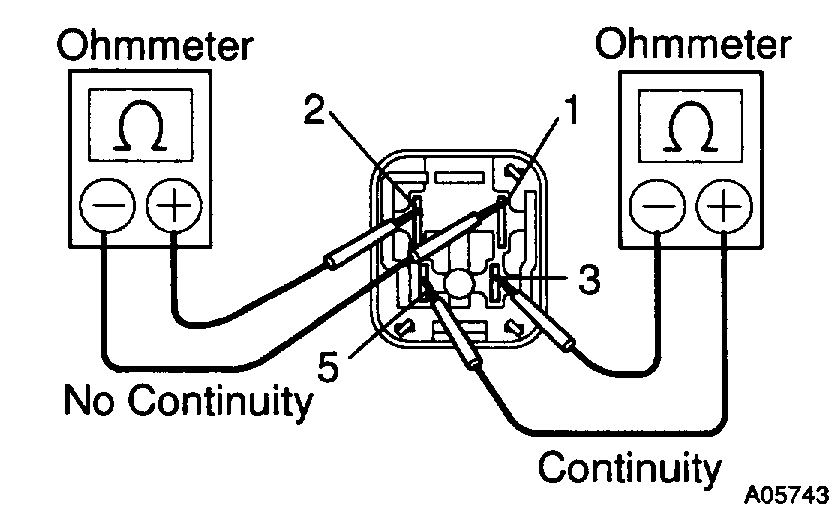
b. Inspect the No. 1 cooling fan relay continuity.
1. Using an ohmmeter, check that there is continuity between terminals 3 and 5.
If there is no continuity, replace the relay.
2. Check that there is no continuity between terminals 1 and 2.
If there is continuity, replace the relay.
pic 3
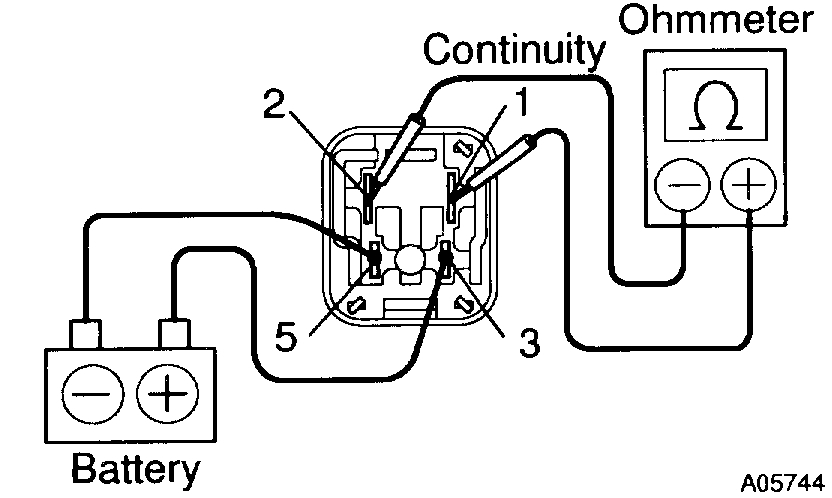
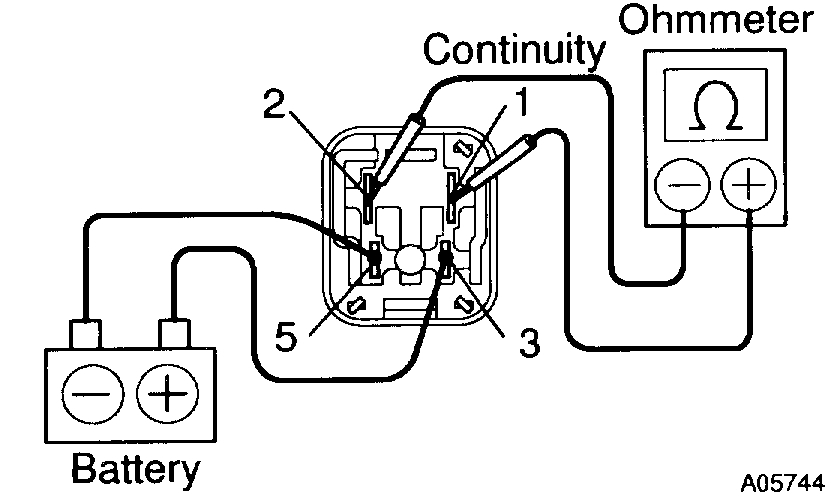
c. Inspect the No.1 cooling fan relay operation.
1. Apply battery voltage across terminals 3 and 5.
2. Using an ohmmeter, check that there is continuity between terminals 1 and 2.
If there is no continuity, replace the relay.
d. Install the No.1 cooling fan relay.
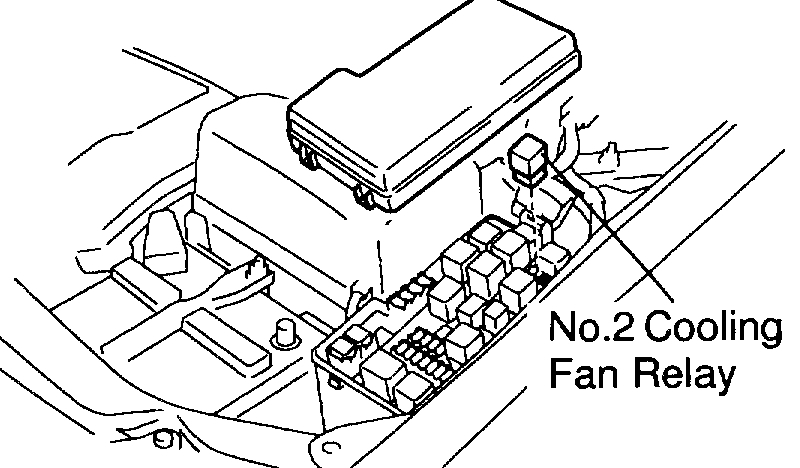
2. INSPECT NO.2 COOLING FAN RELAY
pic 4
a. Remove the No.2 cooling fan relay. (Marking: FAN NO.2)
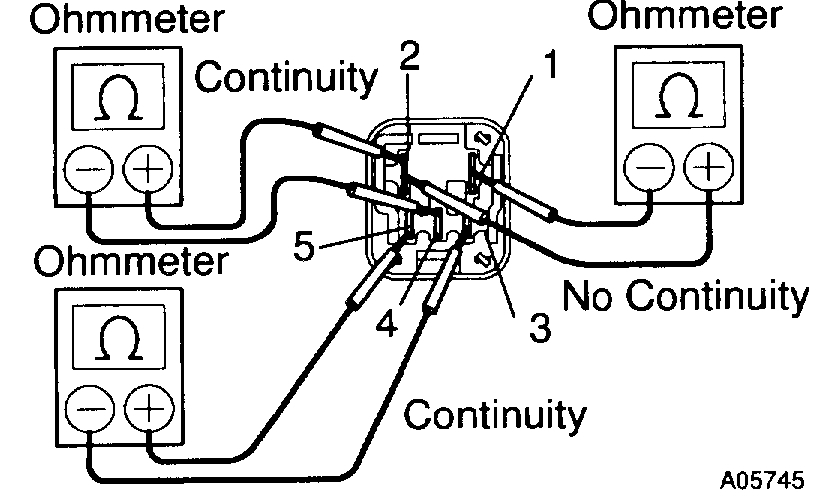
pic 5
b. Inspect the No.2 cooling fan relay continuity.
1. Using an ohmmeter, check that there is continuity between terminals 3 and 5.
If there is no continuity, replace the relay.
2. Check that there is continuity between terminals 2 and 4.
If there is no continuity, replace the relay.
3. Check that there is no continuity between terminals 1 and 2.
If there is continuity, replace the relay.
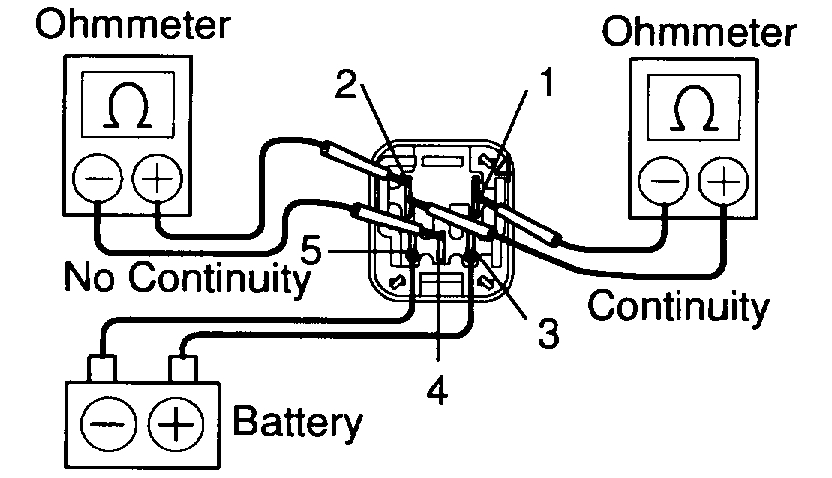
pic 6
c. Inspect the No.2 cooling fan relay operation.
1. Apply battery voltage across terminals 3 and 5.
2. Using an ohmmeter, check that there is no continuity between terminals 2 and 4.
If there is continuity, replace the relay.
3. Check that there is continuity between terminals 1 and 2.
If there is no continuity, replace the relay.
d. Install the No.2 cooling fan relay.
3. INSPECT NO.3 COOLING FAN RELAY
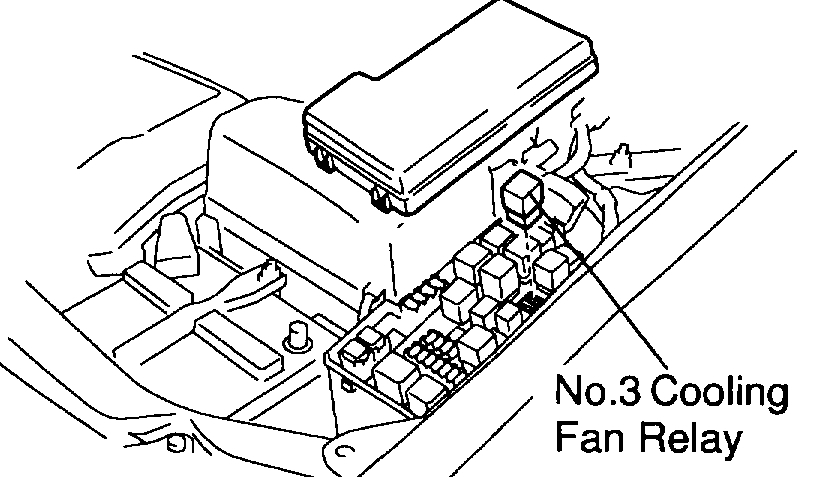
pic 7
a. Remove the No.3 cooling fan relay. (Marking: FAN NO.3)
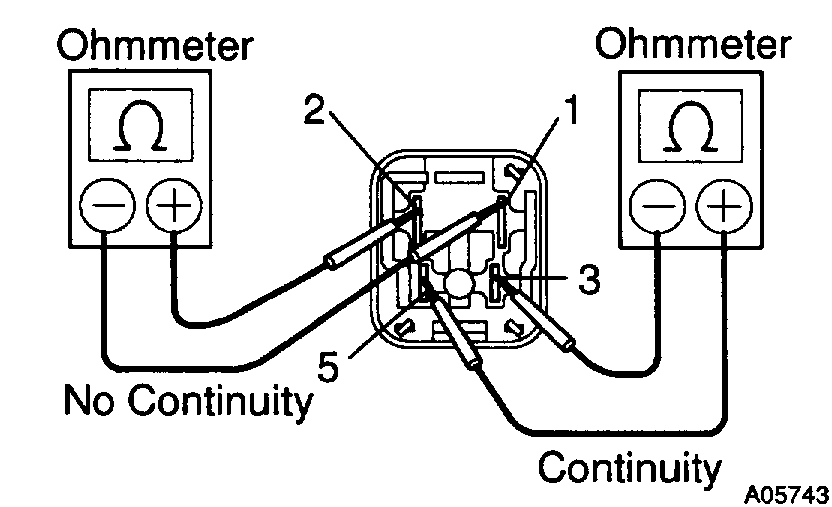
pic 8
b. Inspect the No.3 cooling fan relay continuity.
1. Using an ohmmeter, check that there is continuity between terminals 3 and 5.
If there is no continuity, replace the relay.
2. Check that there is no continuity between terminals 1 and 2.
If there is continuity, replace the relay.
pic 9
c. Inspect the No.3 cooling fan relay operation.
1. Apply battery voltage across terminals 3 and 5.
2. Using an ohmmeter, check that there is continuity between terminals 1 and 2.
If there is no continuity, replace the relay.
d. Install the No.3 cooling fan relay.
______________________________________
Let me know.
Joe
Images (Click to enlarge)
Nov 26, 2019 at 7:13 PM