Drivers information center not saving date, radio not allowing time to be set

2005 PONTIAC GRAND PRIX
130,500 MILES • 3.8L • V6 • 2WD • AUTOMATIC
Avatar
MICHAEL SANDVIG-GAGA
  • MEMBER
  • 2 POSTS
I have the car listed above GTP Competition Group and it is equipped with the factory touch screen radio. Whenever I try to set the time, no numbers appear. And when I set my date it appears for like, maybe 5 seconds and resets itself. How do I fix this?
Sep 18, 2019 at 6:54 PM

Advertisement
Avatar
KASEKENNY
  • CERTIFIED EXPERT
  • 18,907 POSTS
Hi,

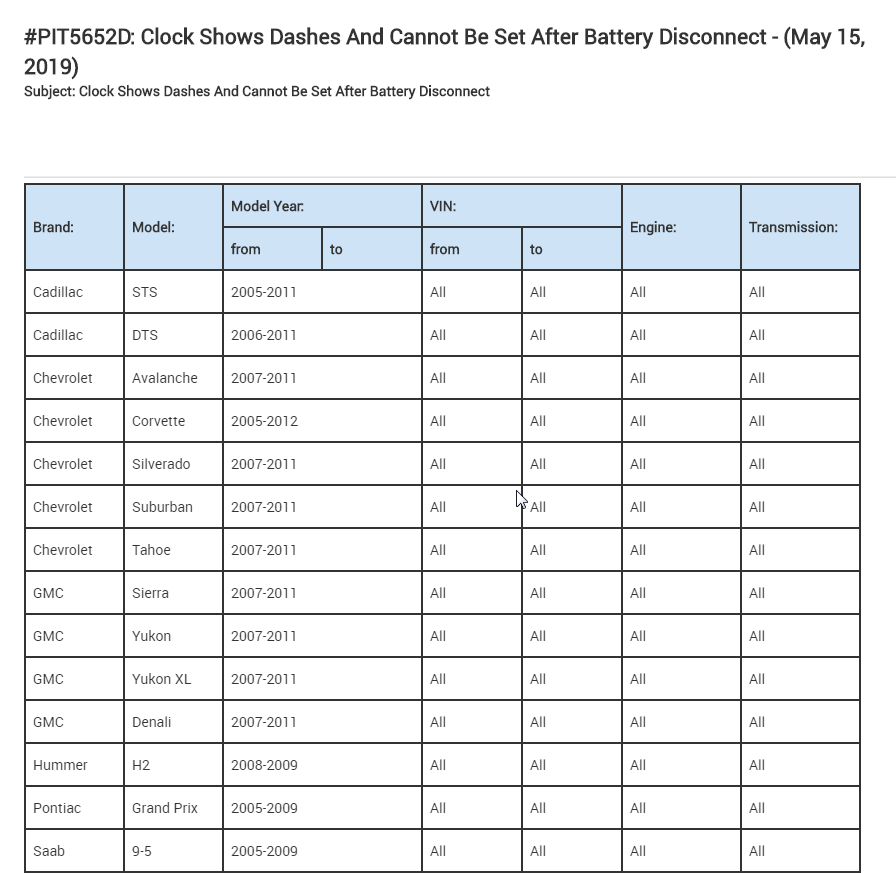
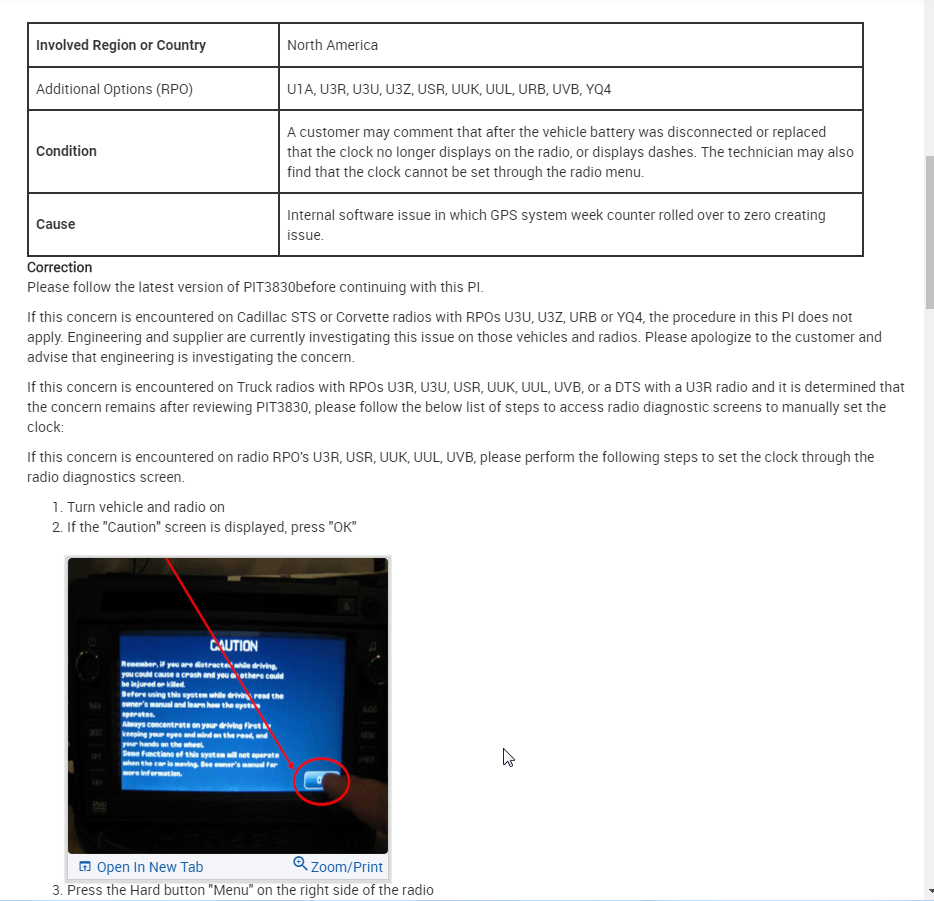
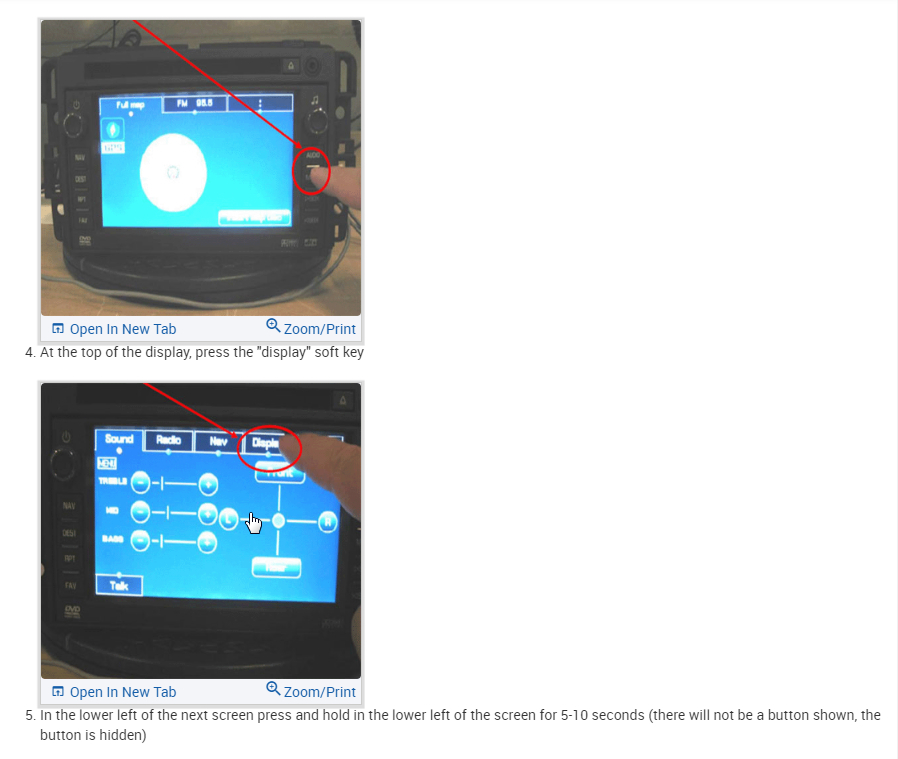
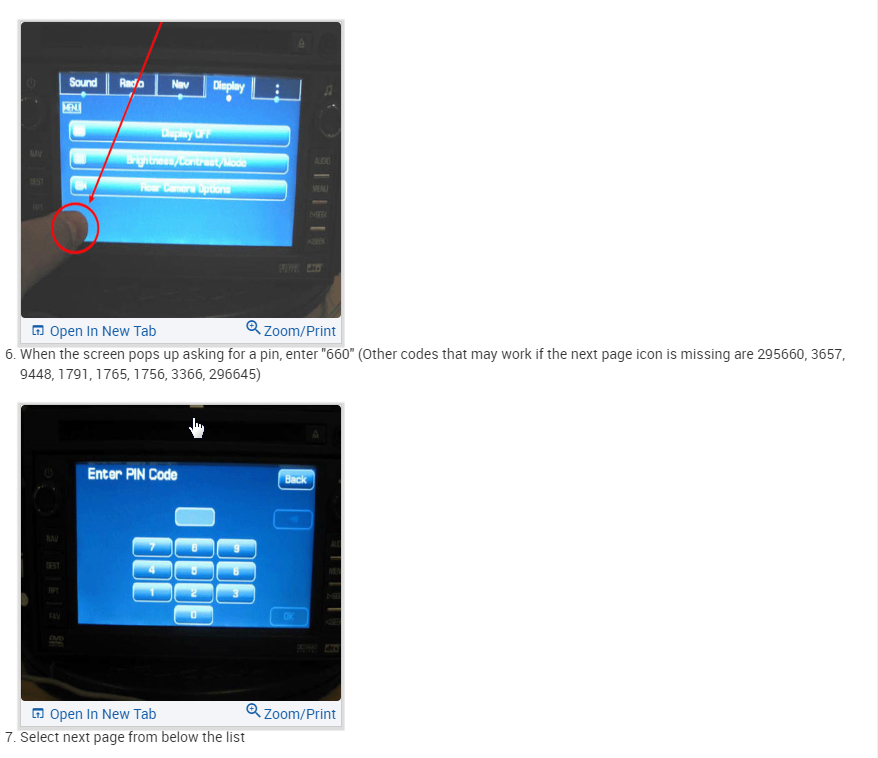
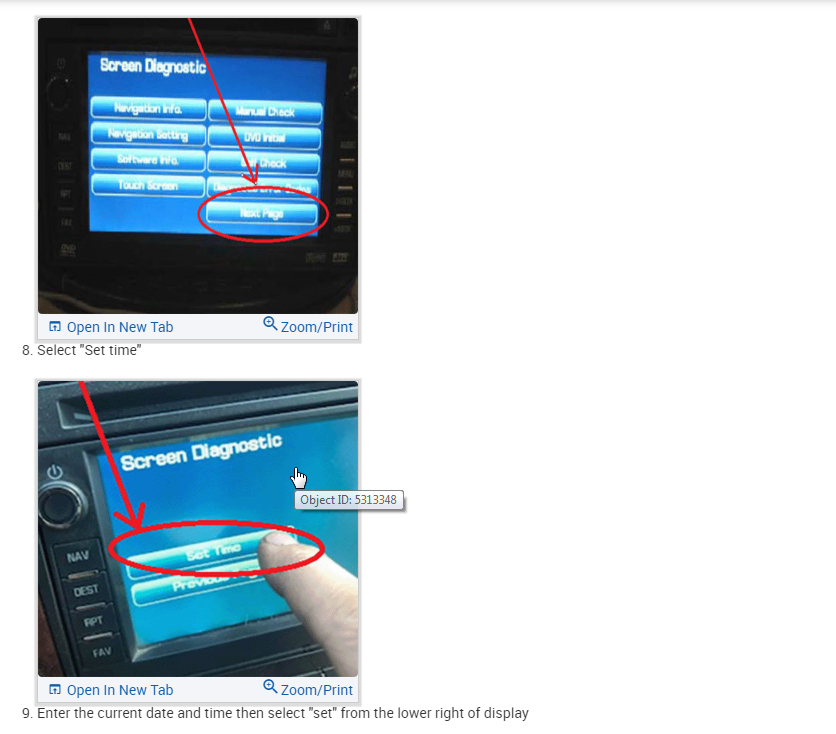
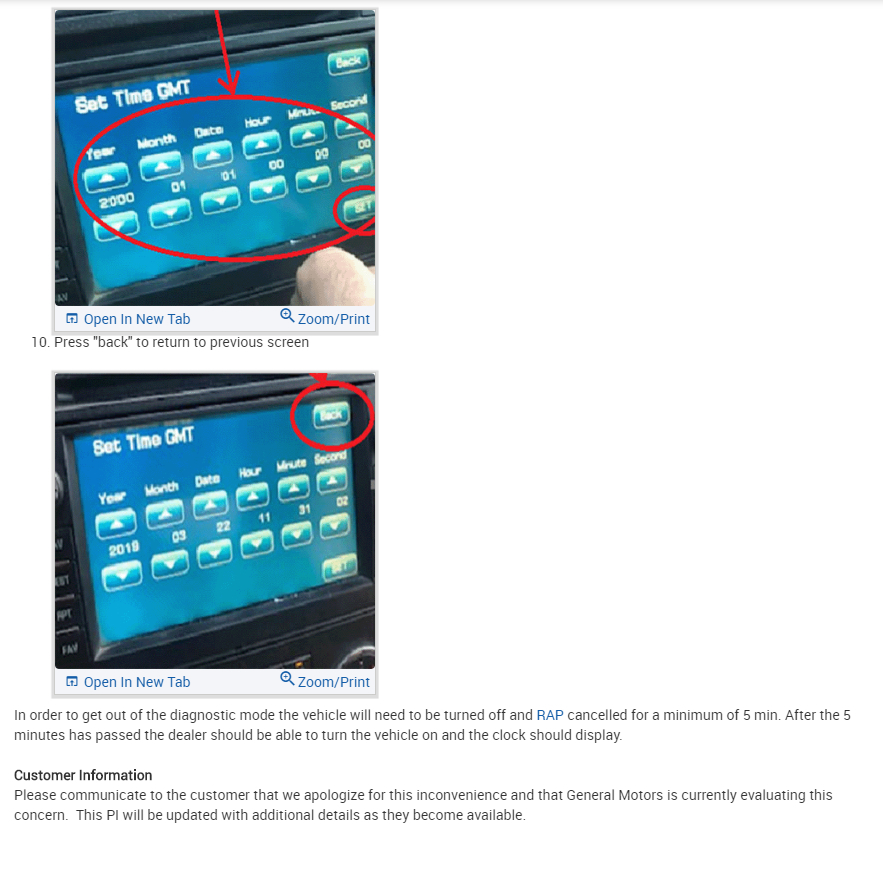
It appears this function is contained in the radio itself. I attached a TSB that should work on your radio. This is to enter the date and time from a diagnostic screen. If this doesn't work, then it may require replacement.

Review this and let me know if you have any luck with it. If not, we can dig further before looking at a replacement radio. Thanks
Sep 19, 2019 at 3:29 PM
Avatar
MICHAEL SANDVIG-GAGA
  • MEMBER
  • 2 POSTS
I have a different audio setup, it's got the DVD and navigation. Will updating it help?
Sep 21, 2019 at 9:17 PM
Advertisement
Avatar
KASEKENNY
  • CERTIFIED EXPERT
  • 18,907 POSTS
If it is out of date, we need to start with that. A lot of the OEMs will fix these types of issues with software updates. If that does not work, it may have to be replaced. Usually, when these type of issues happen the OEM will put out a "trick" to fix them but I am not finding one for your radio which means it may just be a glitch in your unit.

Let me know what happens after the software update. Just make sure it is not a maps only update. If that is the case, it will probably not correct it.
Sep 22, 2019 at 6:44 PM