Radio screen protector is coming off, how do I fix this?

2012 CHEVROLET SONIC
35,000 MILES • 1.6L • 4 CYL • AUTOMATIC
Avatar
SAMIRAMSIS03
  • MEMBER
  • 11 POSTS
i have this radio/mp3 player in my car listed above LS model.
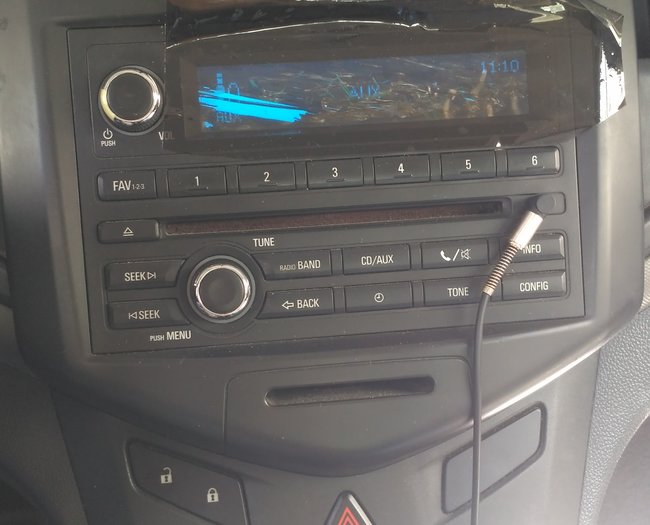
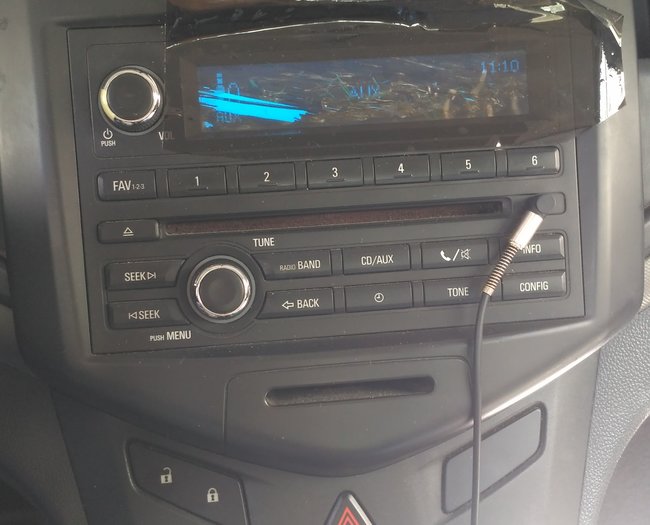
the car radio display has blue screen. unfortunately the screen protector or sticker is coming off due to hot weather where i stay.
i have only option is to replace the radio with a used one. but once i fit a used radio of another Sonic vehicle it gives message that it's locked.
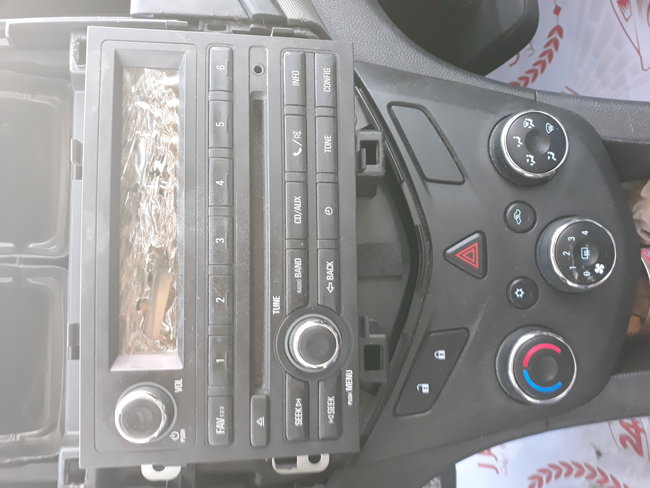
i am also thinking if i can remove the whole sticker and fix anything similar. (please see the pic) if you see on the left the black coating already came off and i am not able to see any icon of text.
Oct 18, 2020 at 2:35 AM
Advertisement
Avatar
JACOBANDNICKOLAS
  • CERTIFIED EXPERT
  • 110,175 POSTS
Hi,

What I'm looking at is what appears to be something that was added to the radio. From the factory, they come with a think protective covering that is to be removed before delivery. It's just to help prevent scratching.

When looking at the picture, it appears to be something that was stuck on for some reason. Is it something you installed?

Let me know.
Joe
Oct 18, 2020 at 6:09 PM
Avatar
SAMIRAMSIS03
  • MEMBER
  • 11 POSTS
It's is just a piece of car tint to reduce the brightness of that blue light.. but i have put it on the body and did not stick it on the screen. FYI .. it has nothing to so with the original car stereo display. There is gap between the display and the tint piece.
Oct 19, 2020 at 6:40 AM
Advertisement
Avatar
SAMIRAMSIS03
  • MEMBER
  • 11 POSTS
Dear Joe, for your reference:
Oct 19, 2020 at 6:42 AM
Avatar
JACOBANDNICKOLAS
  • CERTIFIED EXPERT
  • 110,175 POSTS
Wow, now I see what you mean. The idea that you have a replacement that is in the locked mode indicates you have to reprogram the control module. The one you have (I don't believe) can be repaired.

To reprogram, it requires a scan tool. Here are the directions:

____________________

Replace and Program Control Module or Reprogram Control Module
To program a replacement or an existing control module, perform the following procedure:

Access the Service Programming System (SPS) and follow the on-screen instructions.
On the SPS Supported Controllers screen, select A11 Radio – Programming and follow the on-screen instructions.
At the end of programming, choose the “Clear All DTCs” function on the SPS screen.

___________________

Let me know if that helps.

Joe
Oct 19, 2020 at 7:11 PM