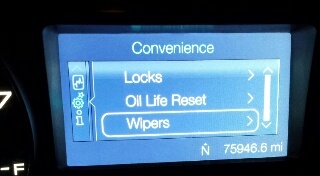
2012 Ford Edge Display

2012 FORD EDGE
75,641 MILES • 6 CYL • AUTOMATIC
Avatar
AMBER11886
  • MEMBER
  • 13 POSTS
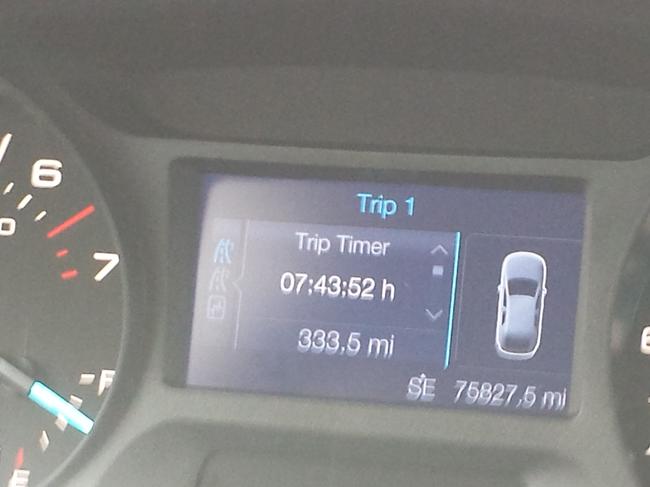
Just bought a 2012 Ford edge Awd I am wondering how to get the digital speed to display on the LED. I've tried going through the options but can't find it. I'm not interested in seeing trip on, trip two or info all the time. It used to be there right beside the compass, but when the xx miles until Empty came on, that was the last time I seen it. Was I imagining it?
Feb 22, 2015 at 3:38 PM

Advertisement
Avatar
JACOBANDNICKOLAS
  • CERTIFIED EXPERT
  • 110,175 POSTS
I don't think you were imagining it. Go through the setup display. Reset the system to the factory settings and it should come back.
Feb 22, 2015 at 8:22 PM
Avatar
AMBER11886
  • MEMBER
  • 13 POSTS
Is there anyway to get the speed enlarged? The trip information really isn't something I like seeing
Feb 22, 2015 at 8:25 PM
Advertisement
Avatar
JACOBANDNICKOLAS
  • CERTIFIED EXPERT
  • 110,175 POSTS
Is there a way you could upload a pic for me to see? To the best of my knowledge, there is nothing that changes the size. Have you already reset it to the factory settings?
Feb 22, 2015 at 8:38 PM
Avatar
AMBER11886
  • MEMBER
  • 13 POSTS
Not yet I'll be resetting it in the morning, will resetting it mess up anything?
Feb 22, 2015 at 8:43 PM
Avatar
JACOBANDNICKOLAS
  • CERTIFIED EXPERT
  • 110,175 POSTS
No, it won't hurt anything. It will just reset everything back to the way it was when the car was new.
Feb 22, 2015 at 8:52 PM
Avatar
AMBER11886
  • MEMBER
  • 13 POSTS
Splendid I'll be trying this tomorrow and shoot you a message! You might be hearing from me often. Bless ya
Feb 22, 2015 at 8:56 PM
Avatar
AMBER11886
  • MEMBER
  • 13 POSTS
Did the system reset and it didn't work :-(
Feb 23, 2015 at 6:32 AM
Avatar
JACOBANDNICKOLAS
  • CERTIFIED EXPERT
  • 110,175 POSTS
can you upload a pic so I can see what it's doing?
Feb 23, 2015 at 11:01 AM
Avatar
AMBER11886
  • MEMBER
  • 13 POSTS
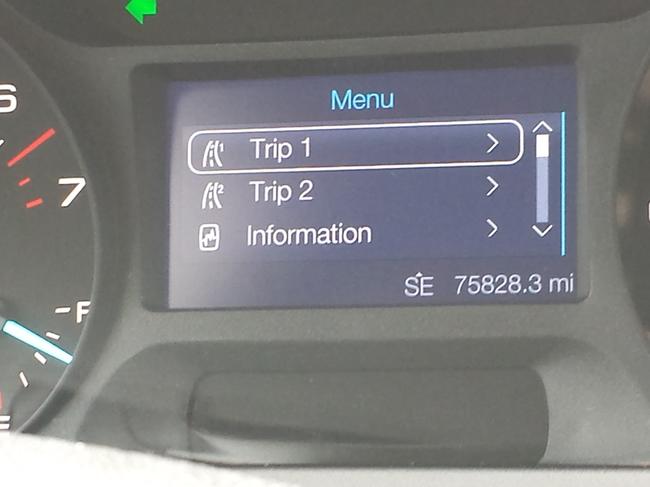
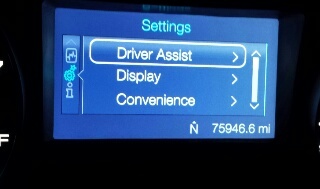
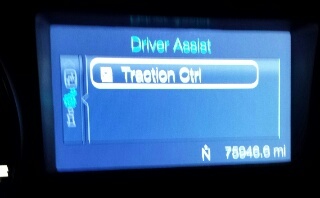
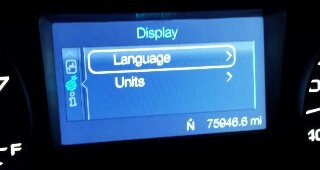
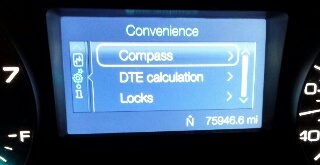
That's my options
Feb 23, 2015 at 12:01 PM
Avatar
JACOBANDNICKOLAS
  • CERTIFIED EXPERT
  • 110,175 POSTS
Those are the only options?
Feb 24, 2015 at 5:44 PM
Avatar
AMBER11886
  • MEMBER
  • 13 POSTS
These are some
Feb 24, 2015 at 6:42 PM
Avatar
AMBER11886
  • MEMBER
  • 13 POSTS
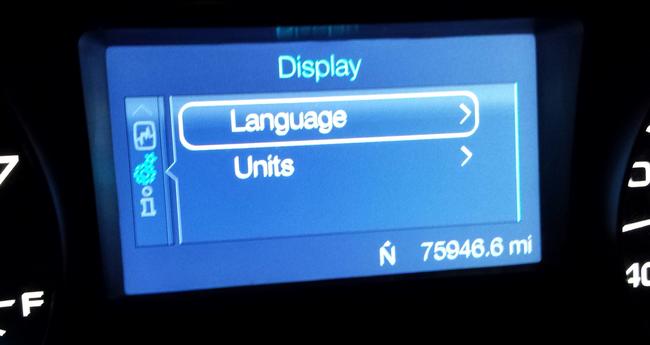
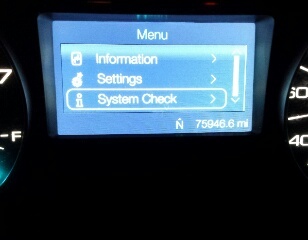
And then there are these
Feb 24, 2015 at 6:43 PM
Avatar
JACOBANDNICKOLAS
  • CERTIFIED EXPERT
  • 110,175 POSTS
I can only see one of the pics. The others won't open.

I see the letter 'I' which is for information. If you select that, what do you get?

By the way... I'm sorry I don't have a quick fix for you. This one actually has me confused. You are certain that the speed was shown on the screen I see, correct?
Feb 24, 2015 at 6:51 PM
Avatar
AMBER11886
  • MEMBER
  • 13 POSTS
It won't let me directly for to the i on the side. From the Menu I can open "information" but it doesn't have anything for me to select. I'll try to shrink the photo file size, maybe it'll open for you. I am quite sure I seen the speed, it was on the left of the compass, same size as that lettering
Feb 24, 2015 at 6:58 PM
Avatar
AMBER11886
  • MEMBER
  • 13 POSTS
...
Feb 24, 2015 at 7:06 PM
Avatar
JACOBANDNICKOLAS
  • CERTIFIED EXPERT
  • 110,175 POSTS
The screen I'm seeing isn't a speedometer. Are you certain you saw the speedometer there?
Feb 24, 2015 at 7:41 PM
Avatar
AMBER11886
  • MEMBER
  • 13 POSTS
Haha I'm sure going down the road there was a little digital number before the compass, it was small. But I'm starting to doubt myself.
Feb 24, 2015 at 7:54 PM
Avatar
JACOBANDNICKOLAS
  • CERTIFIED EXPERT
  • 110,175 POSTS
I don't think it was the speed. The screen in the pic is for other items.
Feb 25, 2015 at 3:52 PM
Avatar
AMBER11886
  • MEMBER
  • 13 POSTS
Then do you know if there's another screen I can get on there besides "trip" or "menu"?
Feb 25, 2015 at 4:09 PM
Avatar
JACOBANDNICKOLAS
  • CERTIFIED EXPERT
  • 110,175 POSTS
no... the screen only provides the information that is listed.
Feb 25, 2015 at 7:38 PM